Huawei Proprietary and Confidential
Copyright © Huawei Technologies Co., Ltd.
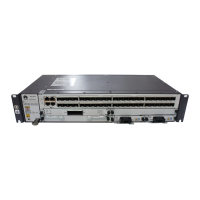
Appearance
Panel
Table 7-206 Indicators
Green:
If the indicator is steady on, the PIC is working properly.
Red:
If the indicator is steady on, the hardware on the PIC is faulty.
Yellow:
If the indicator is steady on, the PIC is installed in a slot for a
HIC and an alarm is reported or the PIC is not loaded with the
logic.
If the indicator is off, the PIC is powered off or is not registered.
Green:
If the indicator is steady on, the link is normal.
If the indicator is off, the link is Down.
If the indicator blinks, data is being transmitted.
Table 7-207 Service interfaces
Interfaces for
8-channel
optical/electrica
l signal input
and output


 To Next Page
 Loading...