Essentials
Basic Gestures
Basic Gestures
System Navigation Gestures
Go to
Settings > System & updates > System navigation and ensure that Gestures is
selected.
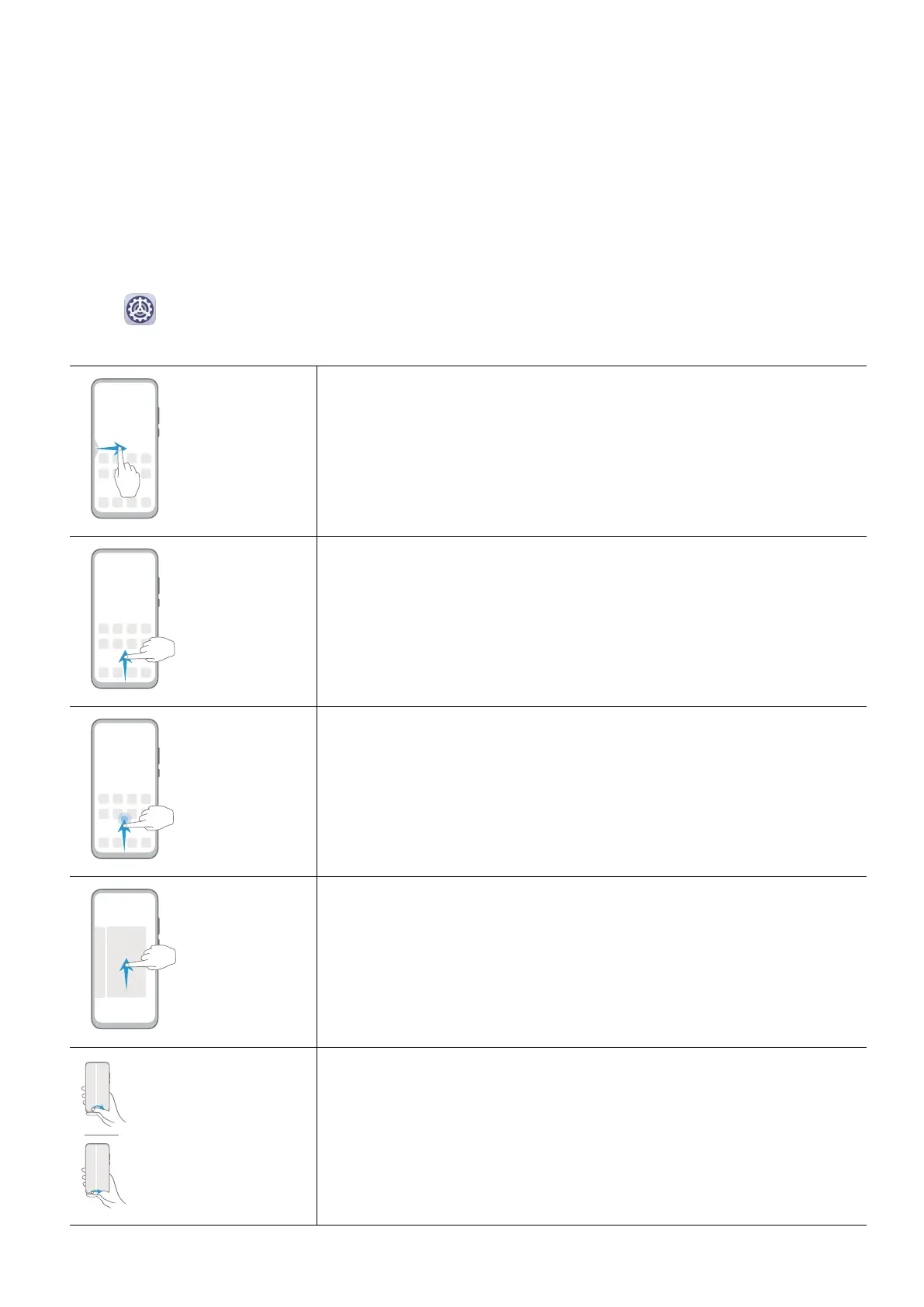
Back
Swipe inward from the left or right edge to return to the
previous screen.
Back to the home screen
Swipe up from the bottom to go to the home screen.
View recent tasks
Swipe up from the bottom of the screen and hold to view
recent tasks.
Close an app
On the recent tasks screen, swipe up on an app preview to
close the app.
Switch apps
• Swipe in a curve along the bottom edge of the screen.
• Enable Swipe across bottom to switch apps and swipe
horizontally across the bottom edge of the screen.
1



 To Next Page