EasyManua.ls Logo

Huawei R100020G1 - User Manual

Huawei R100020G1
53 pages
Print Icon
To Next Page IconTo Next Page
Loading...
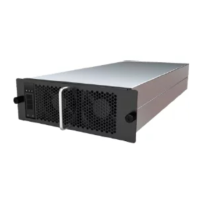
R100020G1 Charging Module
User Manual
Issue 05
Date 2021-11-16
HUAWEI DIGITAL POWER TECHNOLOGIES CO., LTD.

Questions and Answers

  • M
    martinezstephanieAug 16, 2025
    What to do if my Huawei Battery Charger shows input overvoltage, undervoltage, or phase failure?
    • C
      Connor WaltersAug 16, 2025
      If your Huawei Battery Charger indicates input overvoltage, undervoltage, or phase failure, take the following steps: 1. Verify that the input voltage to the charging module is within the normal range and rectify any issues. 2. Check the input cables and circuit breakers of the charging module to ensure they are functioning correctly; repair or replace if necessary. 3. Try exchanging the slot of the module with a normally functioning module. If the problem remains only in the original slot, there may be an issue with the slot itself that requires attention. 4. If the fault persists even after swapping slots, consider replacing the module or contacting technical support.
  • R
    Raven ParkerAug 19, 2025
    What should I do if my Huawei Battery Charger has a short circuit protection?
    • S
      shane05Aug 19, 2025
      If your Huawei Battery Charger is showing a short circuit protection error, here's what you can do: 1. Check the output of the charging module for any short circuits and correct the problem. 2. Try swapping the module with a known working module. If the fault stays with the original slot, the slot may be defective and require attention. 3. If the error continues after the slot exchange, it may be necessary to replace the module or contact technical support.
  • B
    Brooke WillisAug 22, 2025
    What to do if Huawei Battery Charger shows module overtemperature and undertemperature protection?
    • C
      Chelsea MatthewsAug 22, 2025
      If your Huawei Battery Charger displays a module overtemperature or undertemperature protection warning, consider the following steps: 1. Ensure the ambient temperature around the charging module is within the acceptable range. Adjust if it is too high or too low. 2. Inspect the air intake vent of the charging module to ensure it is not blocked. Clear any obstructions. 3. Swap the module with a normally functioning module. If the problem remains only in the original slot, the slot may be defective and require attention. 4. If the issue persists after the slot exchange, it might be necessary to replace the faulty module or contact technical support.
  • C
    Christopher PerezAug 25, 2025
    What to do if Huawei Battery Charger has lockout due to output overvoltage?
    • J
      Jamie WilliamsAug 25, 2025
      If your Huawei Battery Charger experiences a lockout due to output overvoltage, try the following: 1. Check the air channel of the charging module for any blockage and remove it. 2. Check whether the output of the charging module is short-circuited. If yes, rectify the fault. 3. Exchange the slot of the faulty module with that of a normal module. If the fault occurs only in the original slot, the slot is abnormal and needs to be handled. 4. If the fault occurs again after the slot exchange, replace the faulty module or contact the technical support.
  • A
    anna51Aug 27, 2025
    Why does my Huawei Battery Charger have a current sharing alarm?
    • D
      Daniel ColeAug 27, 2025
      If your Huawei Battery Charger is showing a current sharing alarm, here’s what you should investigate: 1. Make sure the preset voltages for all charging modules are identical. Adjust as needed. 2. Check that the output cables and circuit breakers of the charging module are correctly connected. Correct any connection issues. 3. Try swapping the module with a known working module. If the fault stays with the original slot, the slot may be defective and require attention. 4. If the alarm continues after the slot exchange, it may be necessary to replace the module or contact technical support.
  • K
    Kathleen KleinAug 30, 2025
    What causes a fan fault in Huawei Battery Charger and how to fix it?
    • R
      rangelashleyAug 31, 2025
      If you're experiencing a fan fault with your Huawei Battery Charger, here are some steps to troubleshoot: 1. Inspect the fan for any obstructions caused by foreign objects and remove them. 2. Swap the module with a normally functioning module. If the problem remains only in the original slot, the slot may be defective and require attention. 3. If the issue persists after the slot exchange, it might be necessary to replace the faulty module or contact technical support.
  • B
    Bryan WarnerSep 2, 2025
    What to do if Huawei Battery Charger shows CAN communication failure?
    • K
      Kathy PowersSep 2, 2025
      If your Huawei Battery Charger is experiencing a CAN communication failure, try the following: 1. Check the CAN communications cable and build-out resistor to ensure they are correctly connected. Correct any issues found. 2. Exchange the slot of the faulty module with that of a normal module. If the fault occurs only in the original slot, the slot is abnormal and needs to be handled. 3. If the fault occurs again after the slot exchange, replace the faulty module or contact the technical support.
  • L
    lesliewadeSep 5, 2025
    What does it mean if my Huawei Battery Charger reports a duplicate hardware address, and how can I resolve it?
    • J
      Jacob BarrySep 6, 2025
      If your Huawei Battery Charger indicates a duplicate hardware address, follow these steps: 1. Reset the hardware address and group number of the module. 2. Exchange the slot of the faulty module with that of a normal module. If the fault occurs only in the original slot, the slot is abnormal and needs to be handled. 3. If the fault occurs again after the slot exchange, replace the faulty module or contact the technical support.
  • M
    monicawoodSep 8, 2025
    What to do if Huawei Battery Charger has poor connection?
    • J
      Jason AlvarezSep 8, 2025
      If your Huawei Battery Charger is showing a poor connection, here's what you can do: 1. Check whether the charging module is properly connected. If not, rectify the fault. 2. Check whether pin 9 and pin 10 of the output terminal are short-circuited. If not, short-circuit them. 3. Try swapping the module with a known working module. If the fault stays with the original slot, the slot may be defective and require attention. 4. If the error continues after the slot exchange, it may be necessary to replace the module or contact technical support.
  • M
    Marcus DonaldsonSep 12, 2025
    What to do if my Huawei Battery Charger has output overvoltage?
    • S
      shawchelseaSep 12, 2025
      If your Huawei Battery Charger experiences output overvoltage, here are the steps to take: 1. Exchange the slot of the faulty module with that of a normal module. If the fault occurs only in the original slot, the slot is abnormal and needs to be handled. 2. If the fault occurs again after the slot exchange, replace the faulty module or contact the technical support.

Summary

Safety Precautions

General Safety Instructions

Covers essential safety instructions for operating and maintaining the equipment.

Common Safety Practices

Details common safety measures and adherence to local regulations.

Personnel Safety Requirements

Defines necessary qualifications, training, and PPE for personnel.

Electrical and ESD Safety

Highlights dangers and procedures related to electrical shock and electrostatic discharge.

Liquid, Environment, and Label Protection

Addresses liquid prevention, environmental requirements, tool insulation, and label protection.

Product Overview

Module Functionality and Model

Describes the charging module's AC-DC function, input/output specs, and model breakdown.

Working Modes

Explains low-voltage/high-voltage modes and silent/standard noise modes.

Display Panel and Indicators

Describes the display panel components, indicators, and Nixie tubes.

Key Features and Operations

Lists key features, button operations, setting output voltage, hardware address, and group number.

Module Ports and Connectors

Details the physical appearance, module ports, and input/output connector specifications.

Transportation and Storage

Product Transportation Guidelines

Provides instructions for secure packing and protection during transit.

Product Storage Requirements

Outlines conditions for storing unused products to maintain quality and function.

Installation Procedures

Installation Preparations and Tools

Covers checking deliverables, required tools, and cable specifications.

Required Cables

Details specifications for DC output, AC input, and CAN communication cables.

Installation Requirements and Clearances

Details environmental needs, protection levels, ventilation, and physical clearances.

Module Installation and Securing

Guides on horizontally or side mounting the charging module and securing it.

Connecting Power Cables

Provides instructions for connecting DC output and AC input power cables.

Powering On and Configuration

Initial Power On and Verification

Details steps for powering on, checking output voltage, and indicator status.

Setting Hardware Address and Grouping

Explains how to set the hardware address for grouping if required.

Maintenance and Troubleshooting

Routine Maintenance

Advises on regular checks and cleaning, and hot-swapping faulty modules.

Troubleshooting Faults

Guides on identifying and resolving faults using error codes and indicator status.

Module Replacement

Provides step-by-step instructions for replacing a faulty charging module.

Technical Specifications

Structure and Environment

Details dimensions, weight, IP rating, operating temperature, and humidity.

Input and Output Characteristics

Covers input voltage, current, frequency, output voltage, current, and power.

Performance and Protection Features

Lists efficiency, tolerances, noise, and various protection mechanisms.

Acronyms and Abbreviations

Glossary of Terms

Defines common acronyms and abbreviations used in the manual.

Huawei R100020G1 Specifications

General IconGeneral
ModelR100020G1
CategoryBattery Charger
TypeWall Charger
Input Voltage100-240V AC
Output Current2A
Power10W
InterfaceUSB-A
Output Voltage5V
CompatibilityDevices with USB-A charging port

Related product manuals