EasyManua.ls Logo

Huawei SCharger-7KS-S0 - User Manual

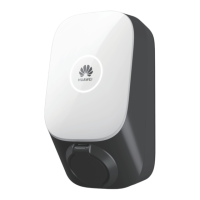
Huawei SCharger-7KS-S0
24 pages
Print Icon
To Next Page IconTo Next Page
Loading...
SCharger-7KS-S0, SCharger-22KT-S0
Smart Charger
User Manual

Questions and Answers

  • S
    Spencer WiseAug 19, 2025
    Why is the indicator off on my Huawei SCharger-7KS-S0?
    • M
      Marcus SmithAug 19, 2025
      The indicator light might be off on your Huawei Battery Charger due to several reasons. It could be due to an abnormal upstream input power. Check the upstream input power cable. Alternatively, the upstream RCBO might be faulty, in which case you should check it and replace it if needed. The AC power cable might be damaged, loosely connected, or have other connection faults, so inspect the cable. In rare cases, the charger itself may be faulty, requiring you to contact the after-sales team.
  • P
    Patrick ReynoldsAug 27, 2025
    What to do if the indicator is flashing red on my Huawei SCharger-7KS-S0?
    • R
      Renee SuttonAug 27, 2025
      If the indicator on your Huawei Battery Charger is flashing red, it could indicate a few issues. It might be due to input overvoltage (AC voltage greater than 276 V) or input undervoltage (AC voltage less than 184 V). Check whether the input voltage is within the normal range. If it's a three-phase input, a phase might have failed (voltage less than 50 V). Also, charger overheat protection could be triggered, so ensure the charger is not covered, has no nearby heat sources, and the ambient temperature is within the allowed range. The charging connector might have been unplugged incorrectly, so remove and replug it. Finally, overcurrent protection could be triggered; in this case, reduce the charging current of the vehicle or consult the vehicle's after-sales service.
  • J
    james53Sep 3, 2025
    Why is the indicator steady red on my Huawei Battery Charger?
    • R
      Renee PittsSep 4, 2025
      A steady red indicator on your Huawei Battery Charger can mean several things. The AC input power cable of the charger might be loose, damaged, or incorrectly connected to the power distribution box; try reconnecting the cable correctly. The earthing system could be incorrectly set, requiring you to contact the installer to correct it. The charger socket might be faulty, in which case you should contact the after-sales team. The charging connector cable might be damaged or abnormal, so replace the charging connector. There might also be a risk of current leakage, so switch off the upstream RCBO and power on the charger 5 seconds later. If the fault persists after the restart, contact the after-sales service team.
  • E
    Emily CamachoNov 11, 2025
    How to fix a Huawei SCharger-7KS-S0 that won't start charging even when the indicator is normal?
    • L
      Laura SmithNov 11, 2025
      If your Huawei Battery Charger's indicator is normal but charging won't start, consider these possibilities: * The RFID card might be faulty; check if you're using the correct one. * The mobile app might not be connected to the charger; ensure your phone's network is enabled and successfully connected to the charger. * The car might be turned on; ensure the car is turned off. * The charging connector might not be properly connected to the car; remove and replug it. * There might be foreign objects in the charging connector; inspect and remove any foreign objects, replacing the connector if necessary. * The charging connector might be abnormal; replace it. * The charger status might be abnormal; switch off the upstream RCBO and power it on again after 5 seconds. * The char...

Huawei SCharger-7KS-S0 Specifications

General IconGeneral
ModelSCharger-7KS-S0
Rated Output Power7 kW
Rated Output Current32 A
Power7 kW
Communication InterfaceEthernet, RS485
Input Frequency50 Hz
Output Current32 A
InterfaceType 2
Charging StandardIEC 61851-1 and IEC 62196-2

Related product manuals