Huawei Proprietary and Confidential
Copyright © Huawei Technologies Co., Ltd
If the SMU01A is connected to a local area network (LAN) and a proxy server has been
selected, you need to cancel proxy server setting.
If the SMU01A is connected to the Internet but the computer is connected to the LAN, you
cannot cancel proxy server setting; otherwise, you will fail to access the SMU01A.
To set the LAN, perform the following steps:
Step 1 Open Internet Explorer.
Step 2 Choose Tools > Internet Options.
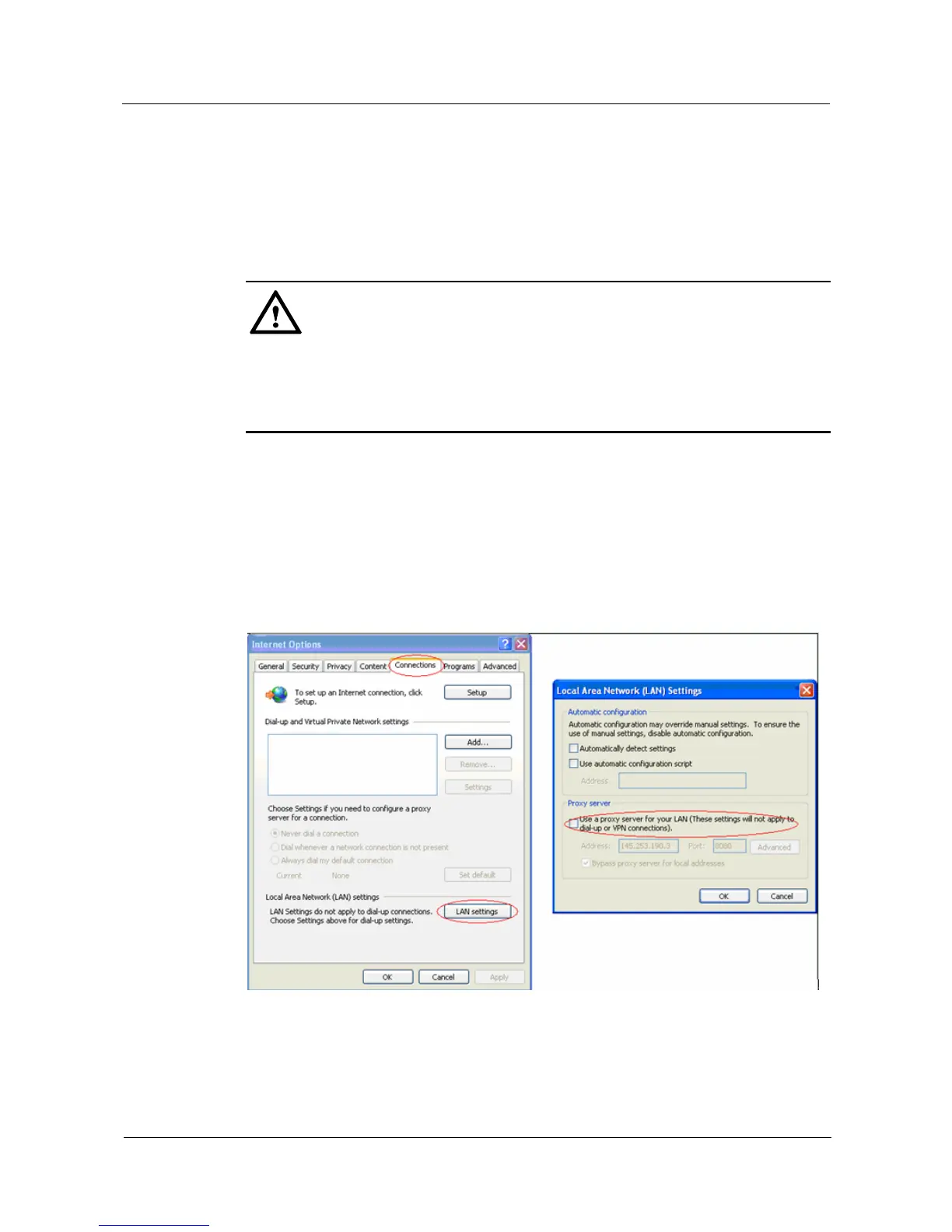
Step 3 Click the Connections tab and then click LAN settings.
Step 4 Deselect the check box under Proxy server, as shown in Figure 4-1.
Figure 4-1 LAN settings
Step 5 Click OK to finish the LAN settings.
----End


 To Next Page