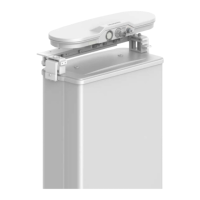
The SMU01A cannot communicate with Huawei communications equipment, Huawei NetEco, and
third-party EMS (over SNMP) at the same time.
5.2 Selecting a Display Language
A display language can be selected on the LCD or over the web UI based on actual
requirements.
Selecting a Display Language on the LCD
You can select a display language when the SMU01A is being powered on or on the LCD. On
the LCD, you can choose Settings > System Parameter > LUI Language and select a
language.
Selecting a Display Language on the Web UI
You can select a language before you log in to the web UI or switch to a required display
language after you log in to the web UI. Figure 5-3 shows the drop-down list for selecting a
language.
Figure 5-3 Selecting a display language
5.3 Querying Alarms
You can query active alarms and historical alarms over the LCD, web UI, or EMS UI.
Figure 3-1 shows how to query alarms on the LCD. Figure 5-3 shows how to query active
alarms over the web UI. Figure 4-14 shows how to query historical alarms. For details about
querying alarms over the EMS UI, see related EMS operation guides.
Figure 5-4 shows how to query active alarms over the web UI.


 To Next Page