Huawei Proprietary and Confidential
Copyright © Huawei Technologies Co., Ltd
6 Installation
6.1 Safety Precautions
Wear electrostatic discharge (ESD) gloves when installing or replacing the SMU01A.
6.2 Installing the SMU01A
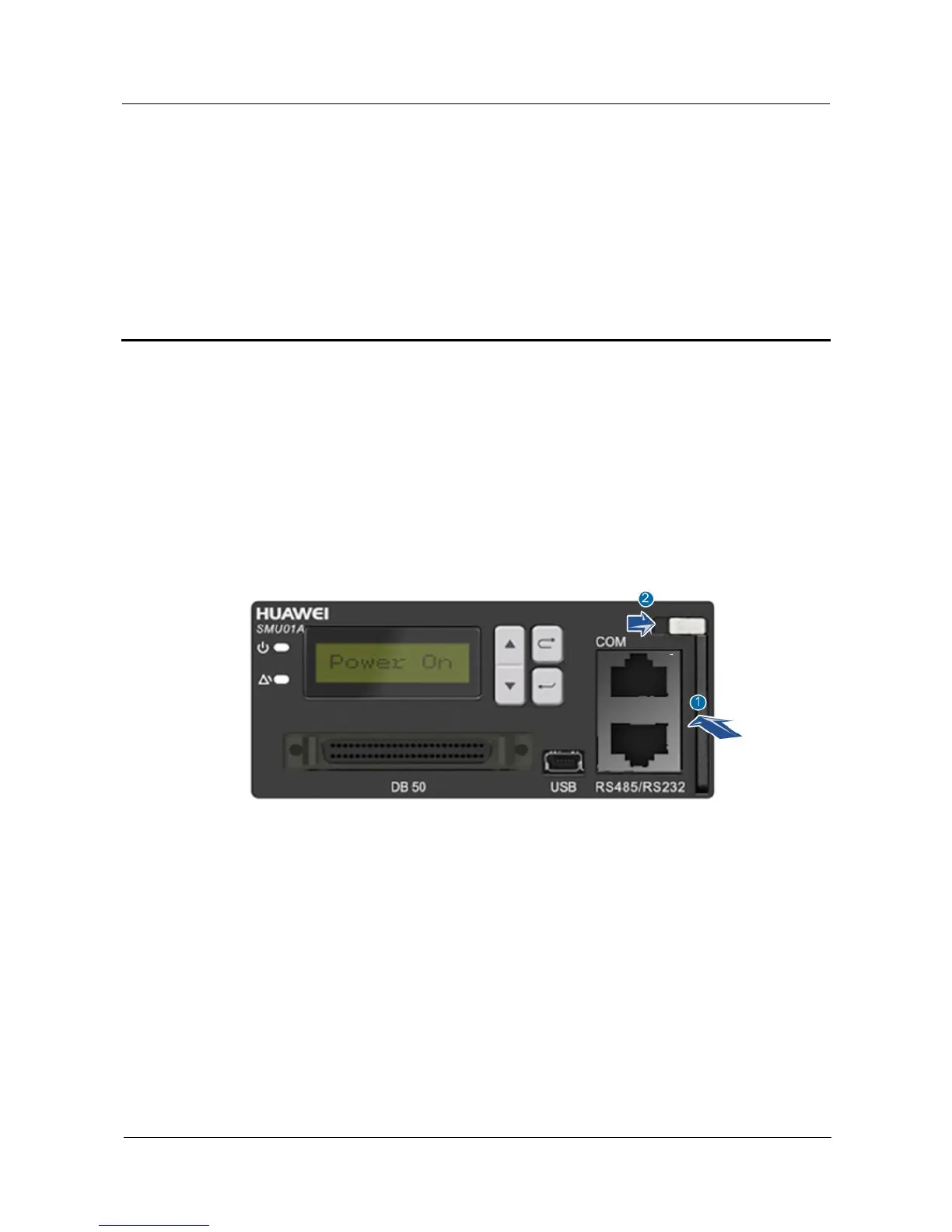
Figure 6-1 Installing the SMU01A
To install the SMU01A, perform the following steps:
Step 1 Hold the handle of the SMU01A, and insert the SMU01A into the correct position in the
power system.
Step 2 Push the SMU01A until its front panel is level with that of the subrack in the power system.
Step 3 Push the locking latch on the front panel to the right.
----End


 To Next Page