Huawei Proprietary and Confidential
Copyright © Huawei Technologies Co., Ltd
System Status Tab Page
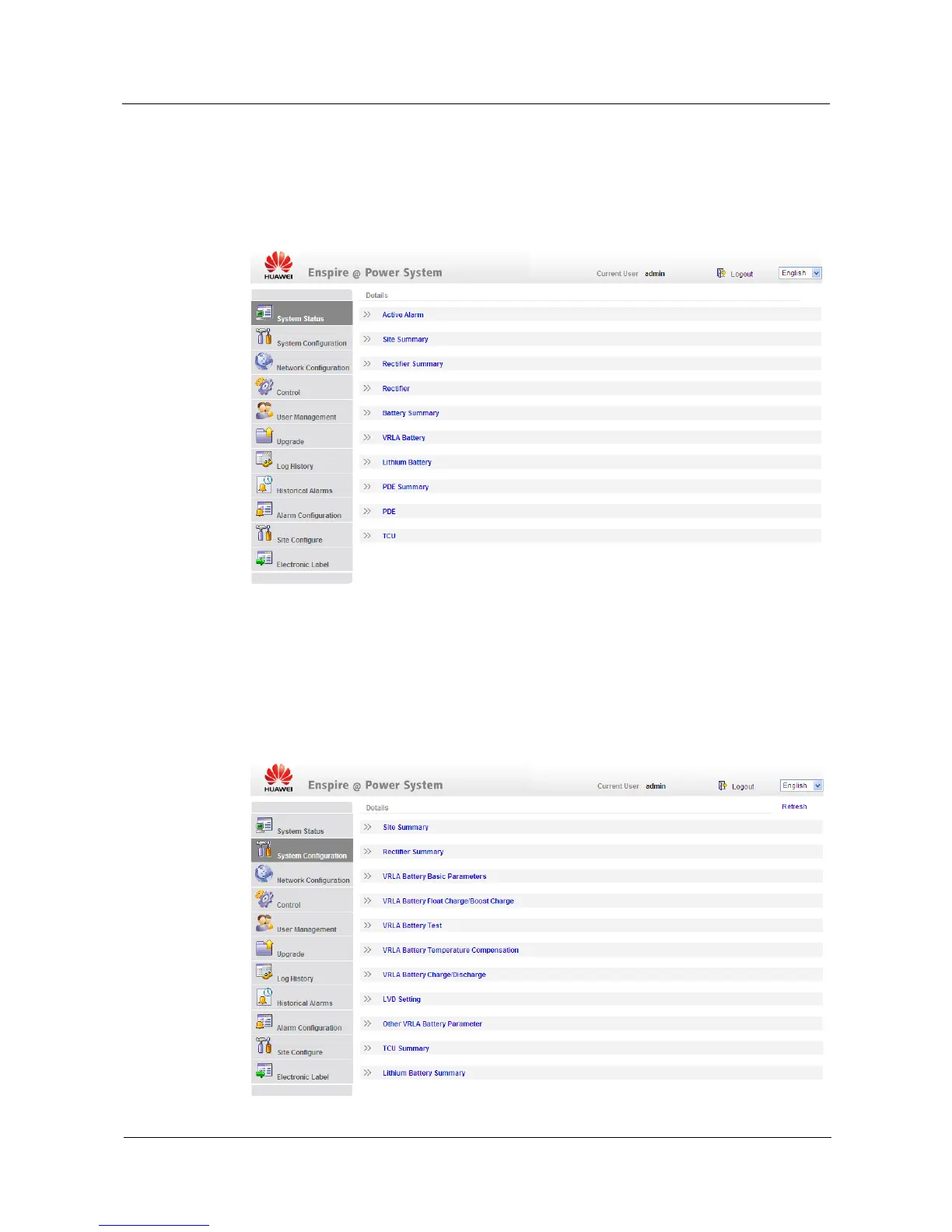
To view the information about the site, active alarms, PSUs, batteries, and power distribution,
click the System Status tab, as shown in Figure 4-4.
Figure 4-4 System Status tab page
System Configuration Tab Page
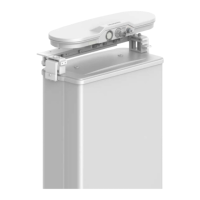
You can configure the site, PSUs, and batteries on the System Configuration tab page, as
shown in Figure 4-5. Figure 4-6 shows the Site Summary page.
Figure 4-5 System Configuration tab page


 To Next Page