Huawei Proprietary and Confidential
Copyright © Huawei Technologies Co., Ltd
Log History Tab Page
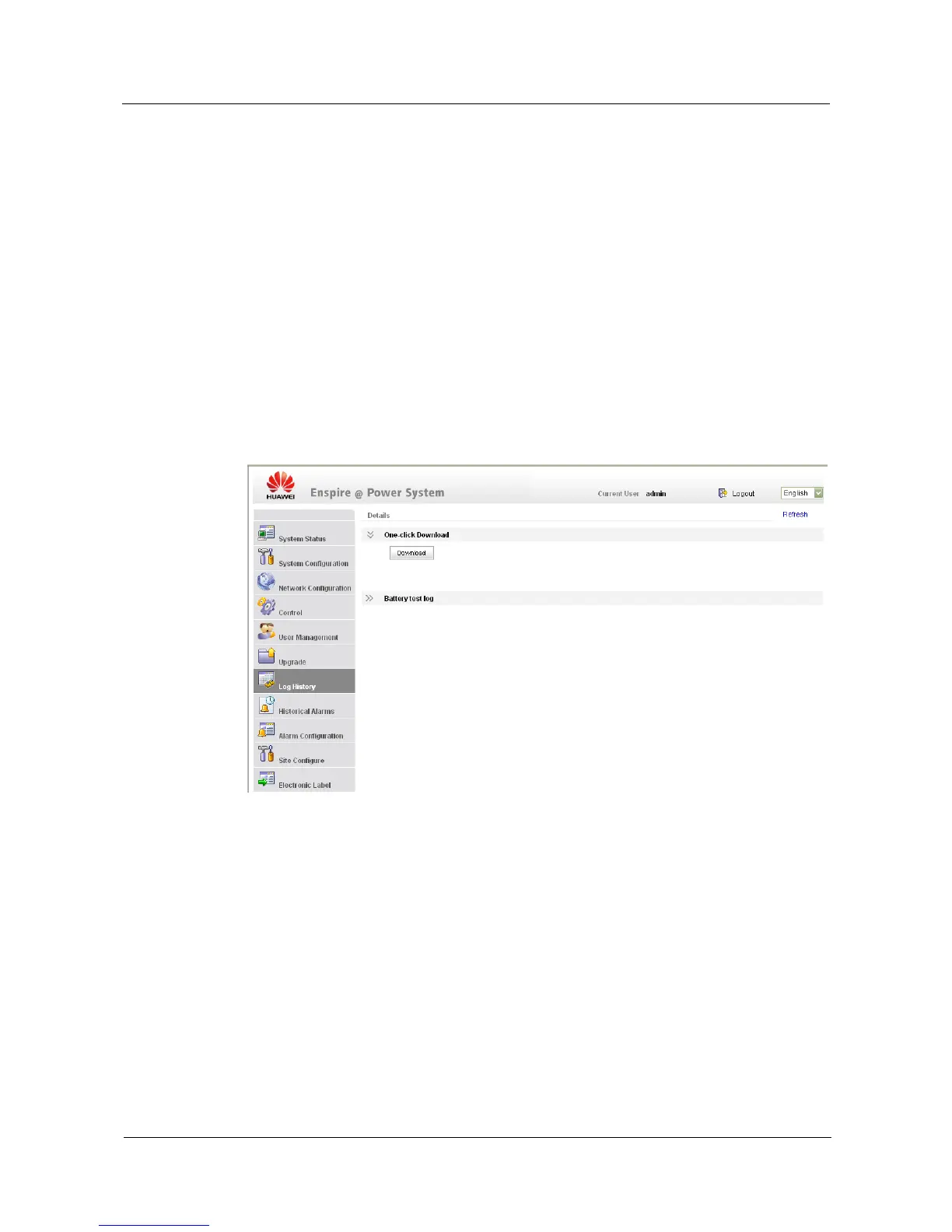
To download the configuration file and log file, perform the following steps:
Step 1 Click the Log History tab.
Step 2 Then click Download under One-click Download.
"Are you sure to download the current configuration file and log file?" is displayed.
Step 3 Click OK.
The configuration file and log file are downloaded in about 2 minutes.
----End
You can export battery testing records in HTML files by clicking Export.
Figure 4-13 shows the Log History tab page.
Figure 4-13 Log History tab page
Historical Alarms Tab Page
You can download historical alarms on the History Alarms tab page, as shown in Figure 4-14.
To export historical alarms in HTML files, click Export. To clear historical alarms, click
Clean.


 To Next Page