Huawei Proprietary and Confidential
Copyright © Huawei Technologies Co., Ltd
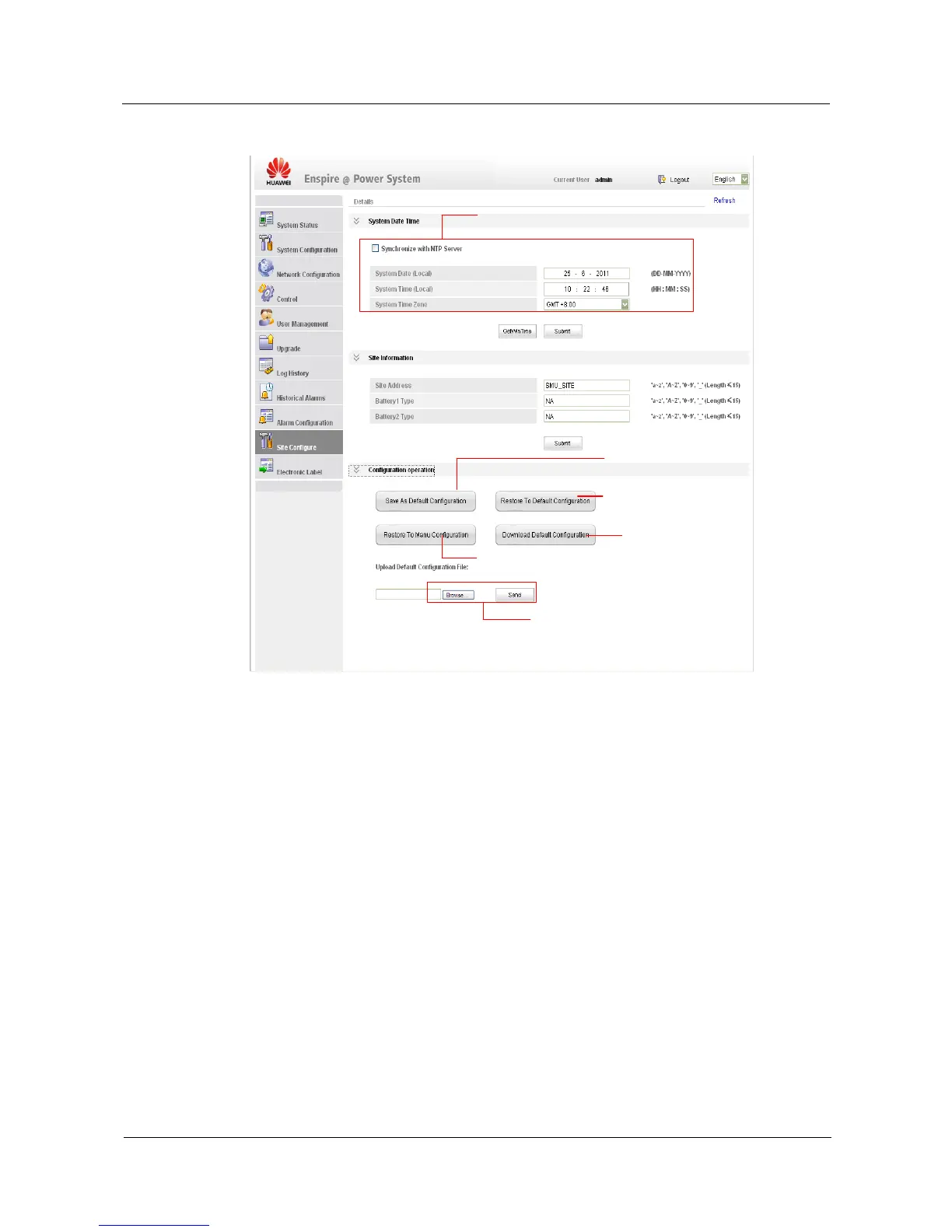
Click here to set current configurations
as default configurations.
Click here to download current
configurations.
Click here to restore current
configurations to default configurations.
Click here to restore current configurations to factory
default configurations.
Click Browse to select the configuration files to be
uploaded and Send to upload the files.
IF A NTP server is available, select the check box Synchronize
with NTP Server. If a NTP server is unavailable, set the system
date, time, and time zone manually and then click Submit.
Electronic Label Tab Page
You can query electronic label information about system components such as the SMU01A,
power distribution rack, and PSUs on the Electronic Label tab page. Click Export to export
the electronic label information in HTML files.


 To Next Page