HUAWEI TE40&TE50&TE60 Videoconferencing
Endpoint
Administrator Guide
Huawei Proprietary and Confidential
Copyright © Huawei Technologies Co., Ltd.
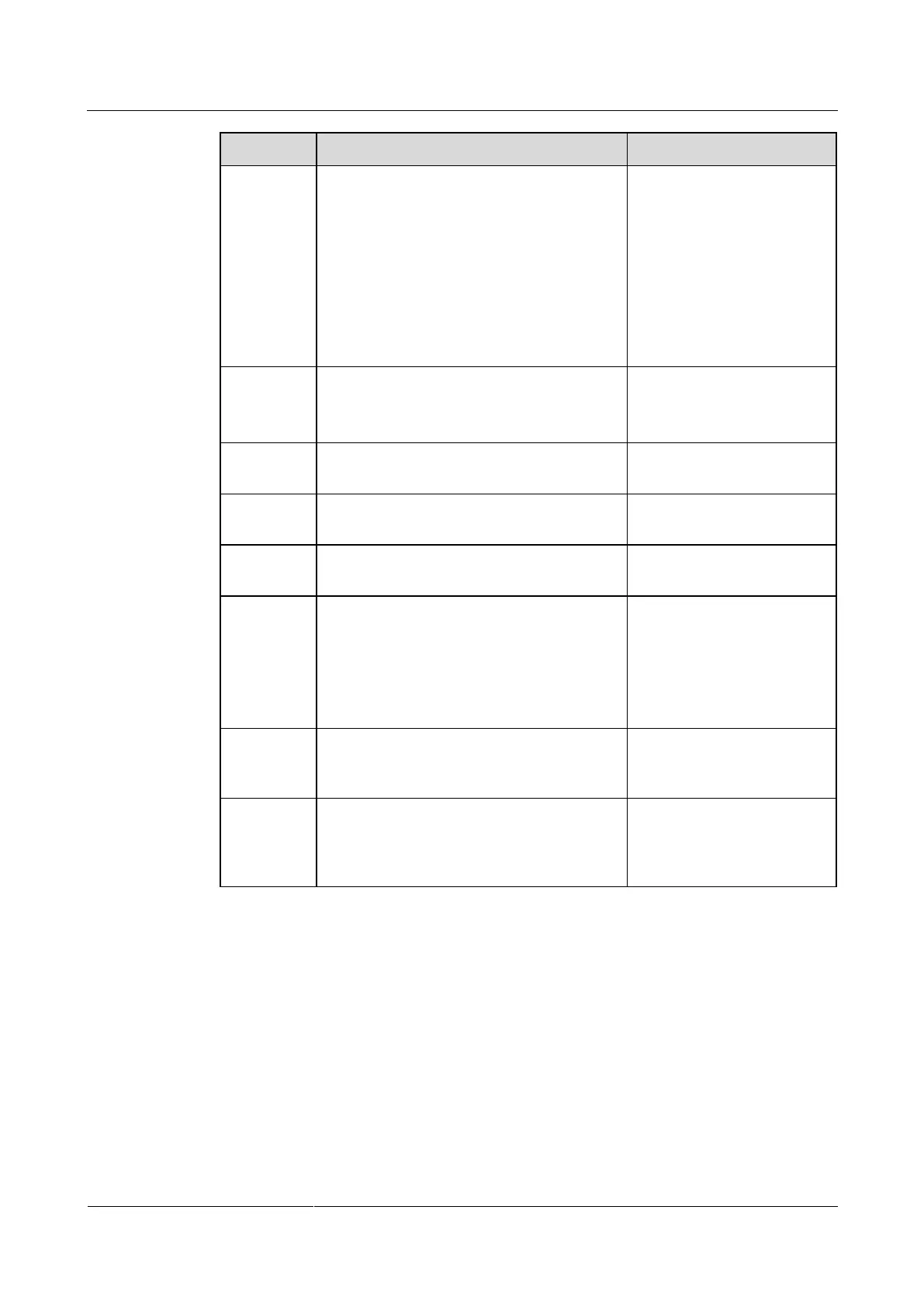
Specifies the display effect for banners and
middle and bottom captions.
Default value:
For banners, the default
value is Center.
For middle captions, the
default value is Scroll
upward.
For bottom captions, the
default value is Scroll
leftward.
Specifies the scroll rate for middle and
bottom captions.
Adjust the rate based on the
preview.
The default value is Fast.
Specifies banner or caption transparency.
The default value is Half
transparent.
Specifies the percentage of the banner or
bottom caption height to the entire screen.
The default value is 10%.
Specifies the font type of captions.
The default value is
Boldface.
Specifies whether banners or captions are
displayed in bold.
For banners, this
parameter is selected by
default.
For middle and bottom
captions, this parameter
is not selected by default.
Specifies the vertical spacing between lines
when there are multiple lines of middle
captions.
The default value is Small.
Specifies the type of the caption to be
shared, T.140 or non-T.140. For the
differences between T.140 and non-T.140
captions, see Table 6-7.
The default value is T.140.
Step 2 Select Save.
----End
6.9.2 Creating a Banner or Caption
You can create and preview a banner or caption on your endpoint.
Procedure
Step 1 Choose Advanced > Utilities.









 To Next Page