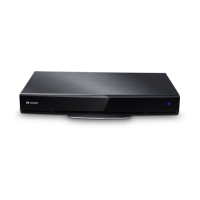
HUAWEI TE40&TE50&TE60 Videoconferencing
Endpoint
Administrator Guide
Huawei Proprietary and Confidential
Copyright © Huawei Technologies Co., Ltd.
Specifies the gateway address that
corresponds to the endpoint IP address.
Examples:
IPv4: 192.168.1.1
IPv6: 2000:0:0:0:200:55:0:1
Obtain the gateway address
from the network administrator.
If you select IPv6, you must also set
Connection type, Local IP address,
Subnet prefix length, and Gateway
address.
This parameter is not selected
by default.
Specifies the number of the digit 1 in a
subnet mask that is converted into binary
mode.
Specifies whether the endpoint accesses
broadband networks using dial-up
connections.
NOTE
If you set this parameter to Enable, you must
also set Dialing mode, User name, and
Password.
The default value is Disable.
Specifies the dial-up connection mode.
The dial-up process complies with the
Point-to-Point Protocol over Ethernet
(PPPoE) protocol. To use a dial-up
connection, in User name and
Password enter the user name and
password that are provided by your
broadband access service provider.
Auto: When the endpoint starts, it
automatically sets up a dial-up
connection over the IP network. If the
dial-up service is not free of charge,
charging starts when the dial-up
connection is established.
Manual: The endpoint uses the
dial-up program to access To set up a
PPPoE dial-up connection, choose
Advanced > Utilities > PPPoE
Dialing > Connect.
The default value is Auto.
Local IP
address
Subnet mask
Specifies the alternate IP address of the
endpoint. This IP address cannot be in
the same network segment as Local IP
address (described in the LAN1 section
in this table) or the IP address of the
gatekeeper (GK) server.
No default value is set for this
parameter.
Obtain the IP address from the
network administrator.





 To Next Page