User Manual
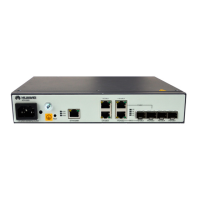
U-SYS IAD208E(M) Integrated Access Device
Chapter 3 Updating Software
Huawei Technologies Proprietary
3-2
already be connected when you are installing hardware. Refer to
Chapter 2.
IAD
Maintenance terminal
Serial port cable
Console port of IAD
Serial port of PC
Figure 3-1 Connection for configuring through local serial port
The following is an example to connect and configure the local
serial port terminal, which is an ordinary PC running Windows98
operating system.
1) On the maintenance terminal, click
[Start/Programs/Accessories/Communication/HyperTermin
al], and then double click the “HyperTerminal” icon to start
the HyperTerminal.
2) Input the name in the “Connection Description” dialog box
like “IAD”, and click <OK> to establish the corresponding
serial port connection, as shown in Figure 3-2. Then click
<OK>.


 To Next Page
 Loading...