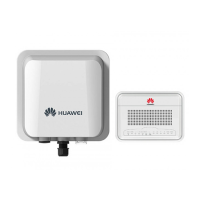
User Manual
U-SYS IAD208E(M) Integrated Access Device
Table of Contents
Huawei Technologies Proprietary
i
Table of Contents
Chapter 1 System Overview .........................................................1-1
1.1 Introduction to Product.......................................................1-1
1.2 Service Functions...............................................................1-3
1.3 System Structure................................................................1-3
1.3.1 Hardware Structure .................................................1-3
1.3.2 Software Structure...................................................1-5
Chapter 2 Installing Hardware......................................................2-1
2.1 Installation Requirements ..................................................2-1
2.1.1 Attentions in Installation ..........................................2-1
2.1.2 Requirements for Installation Environment .............2-2
2.1.3 Requirements for Electromagnetic Environment.....2-2
2.1.4 Tools and Meters.....................................................2-3
2.2 Installing Hardware ............................................................2-4
2.2.1 Putting IAD208E(M) on Desktop .............................2-5
2.2.2 Connecting Serial Port Cable ..................................2-5
2.2.3 Connecting Uplink Cable.........................................2-7
2.2.4 Connecting the Cable on User Side ........................2-7
2.2.5 Connecting Power Cable.........................................2-8
Chapter 3 Updating Software .......................................................3-1
3.1 Setting Up Configuration Environment for Loading ...........3-1
3.1.1 Setting up Configuration Environment for Loading
through Local Serial Port..................................................3-1


 To Next Page