8
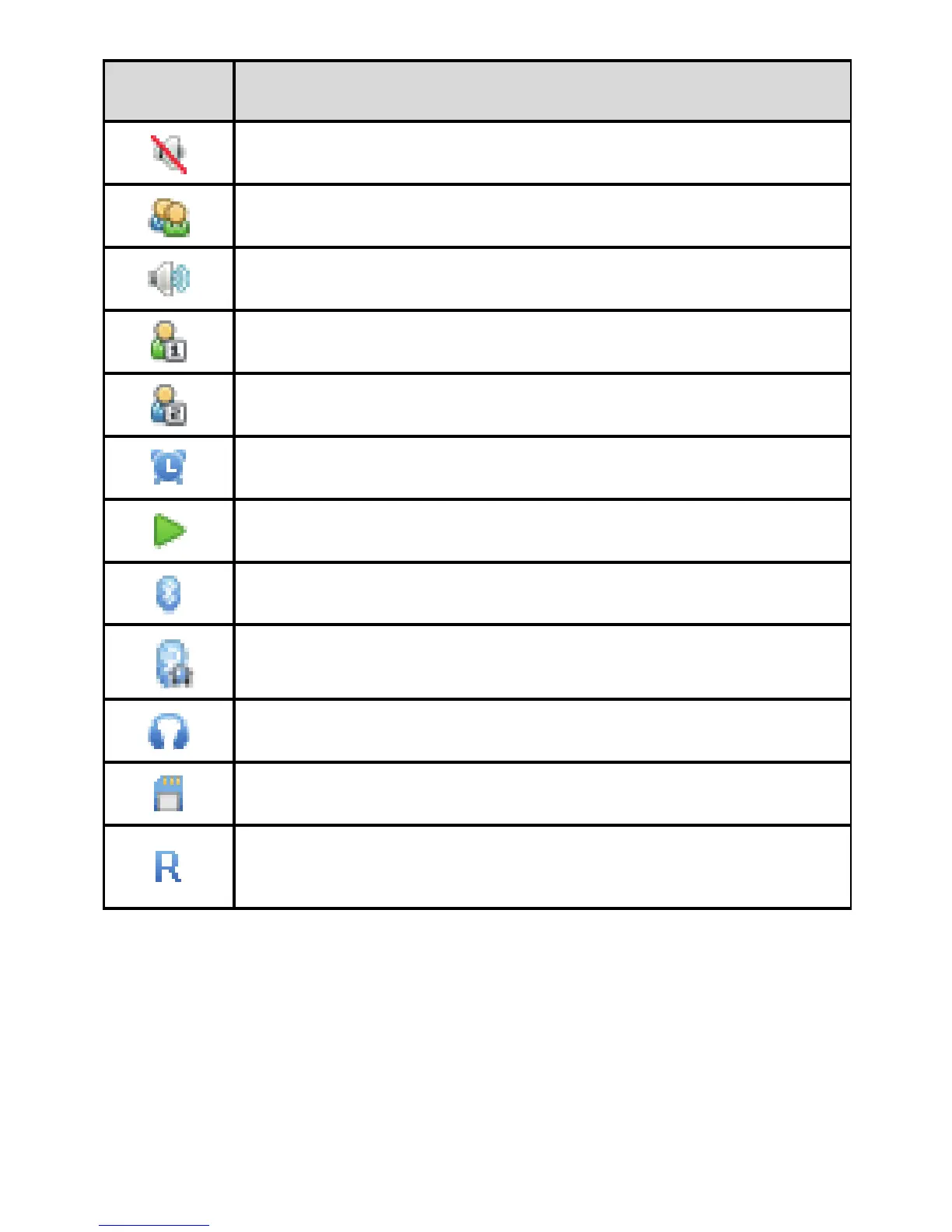
Icon Indicates...
Silent profile activated.
Meeting profile activated.
Outdoor profile activated.
My profile 1 activated.
My profile 2 activated.
Alarms enabled.
Music is being played in the background.
Bluetooth turned on.
Bluetooth headset connected.
Headset connected.
microSD card installed.
The phone is outside of your coverage area
(roaming).
Power Saving Mode
Select Menu > Settings > Phone > Power-saving mode to
enable or disable this function. If the power-saving mode is
enabled, the keypad backlight will be off from 9:00 to 17:00.



 To Next Page