1
1 Getting Started
SIM/USIM Card and Battery
The SIM/USIM card contains personal information such as your
phone number, contacts, messages, and secret codes.
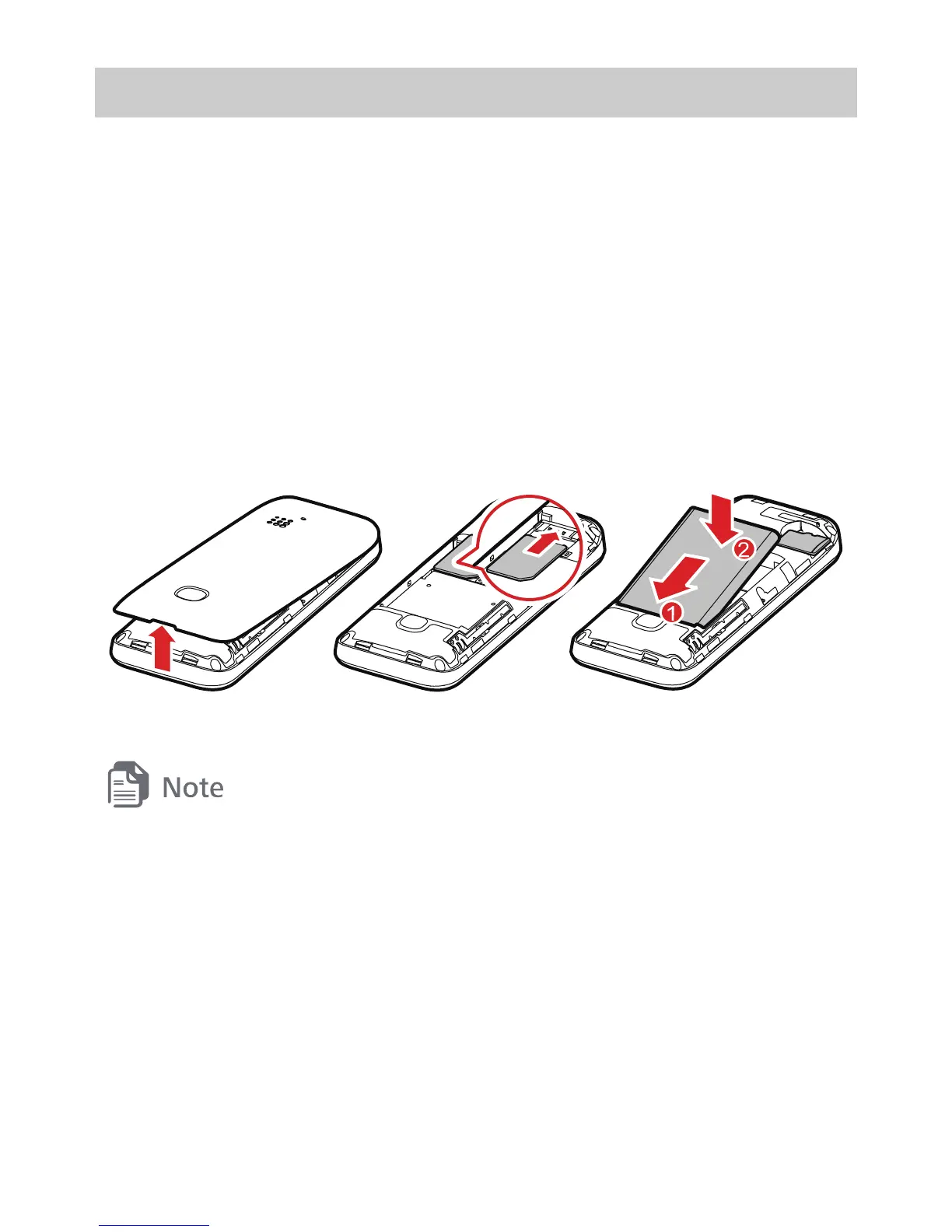
Before using the phone, install a SIM/USIM card on the phone.
Power off the phone before removing the SIM/USIM card or the
battery.
The following figures show the installation of the SIM/USIM card
and the battery.
z
Handle and store the SIM/USIM card with care.
z
Do not bend or scratch the SIM/USIM card.
z
Keep the SIM/USIM card away from static electricity, water, or dirt.
microSD Card
Your phone supports a microSD card (memory card) with a
capacity up to 8 GB.
The following figures show the installation of the microSD card.



 To Next Page