3
Your Phone
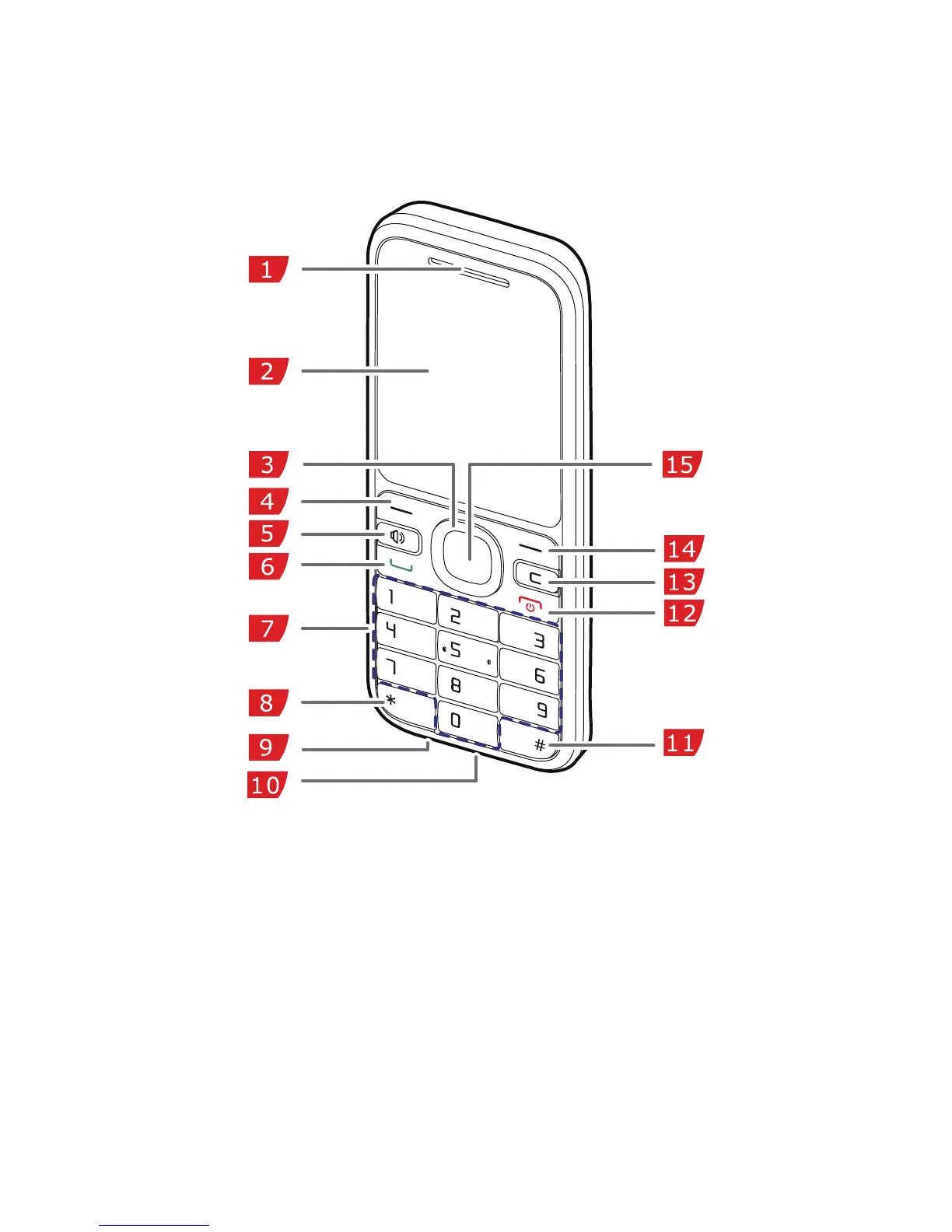
The following figure shows the appearance and different parts of
your phone and is for your reference only.
1 Earpiece 2 Screen
3 Navigation keys 4 Left soft key
5 Speaker key 6 Call/Answer key
7 Number keys 8 * key
9 Headset jack 10 Charger jack
11 # key 12 End/Power key



 To Next Page