Unloading the SIM Card
7
Getting Started
2
Unloading the SIM Card
Only unload the SIM card and the battery after pow-
ering off your phone. Otherwise, your phone may be
damaged.
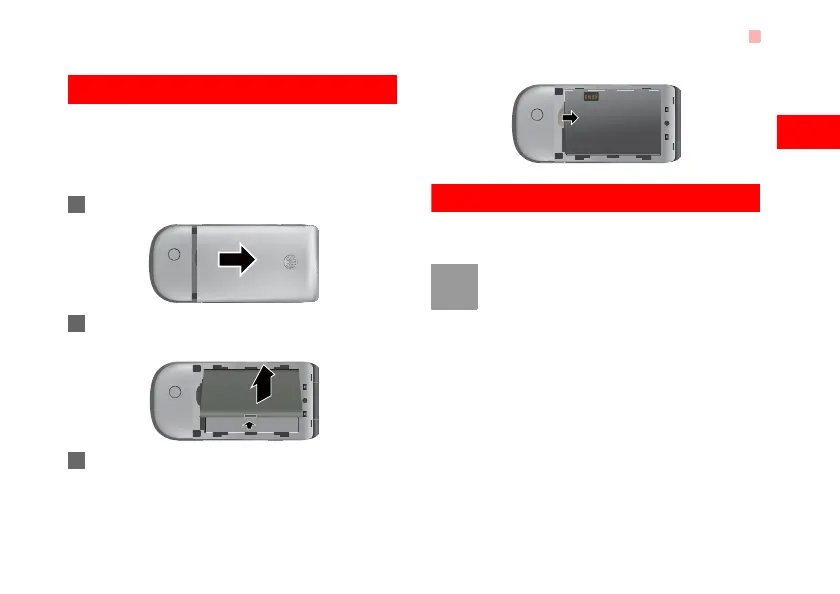
To unload the SIM card:
1 Unload the back cover out of the phone.
2 Please unload the battery according to the fol-
lowing picture.
3 Press the SIM card with one finger and slide it
out of the slot.
Charging the Battery
Before charging the battery, please read the following
precautions carefully.
Note
• When you charge the battery for the first
time, please charge it for a minimum of 12
hours.
• The battery discharges even while not
being used. If you have not used it for a
long time, please recharge it first.
• The charging time depends on the envi-
ronmental temperature and the age of the
battery.
• The battery can be recharged but eventu-
ally wears out. If the battery lasts for a
shorter time period than usual after being
U5700.book Page 7 Tuesday, September 4, 2007 11:48 AM



 To Next Page