129
Using Other Applications
Opening the File Manager
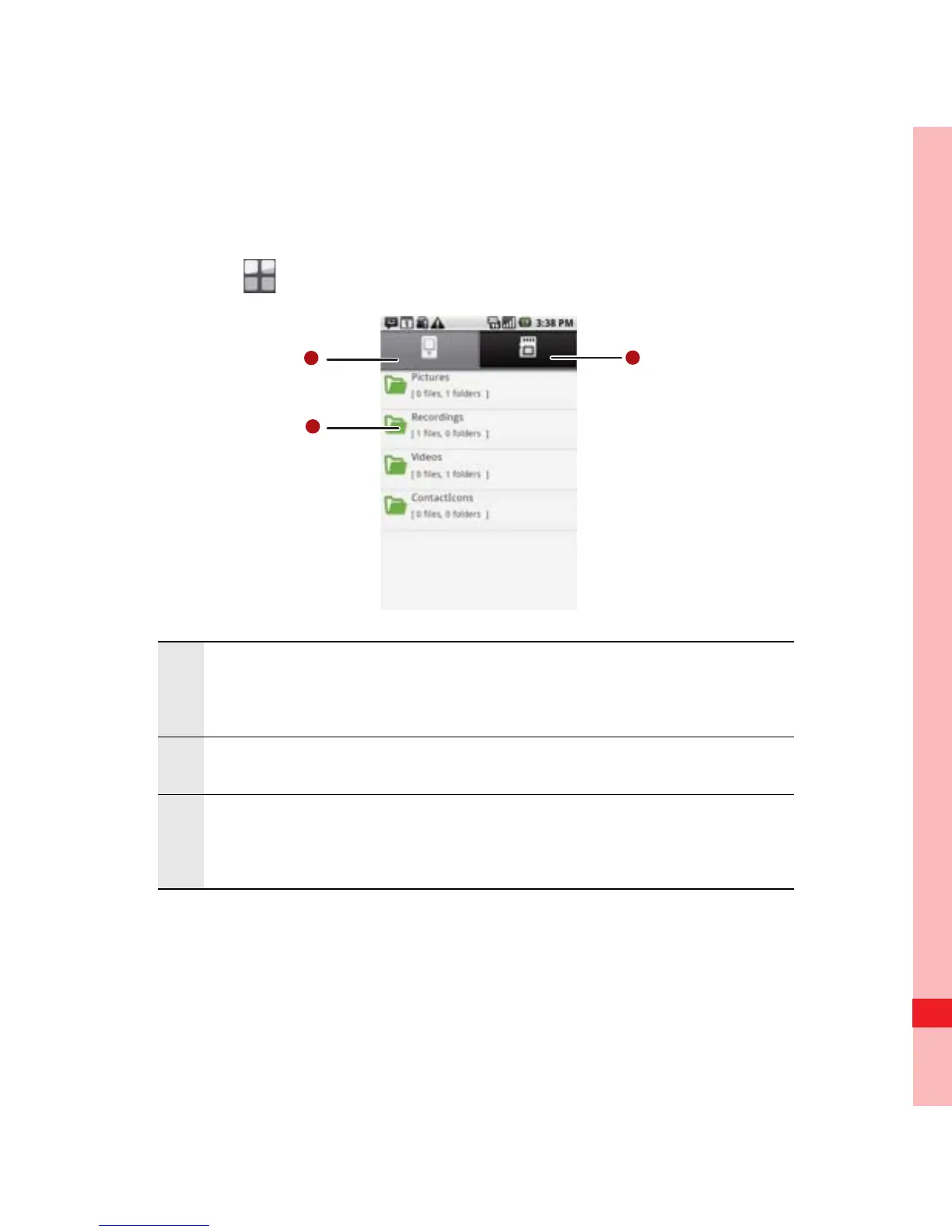
Touch > File Manager to open the application.
The options menu of the file manager may not be completely
shown on one page. You may need to flick the menu upward or
downward, or press the Navigation key to browse all options.
1
Touch to show the files and folders in your mobile
phone memory.
2 Touch to show your list of files and folders.
3
Touch to show the files and folders on the
microSD card.
Ofrecido por www.electromanuales.com



 To Next Page