19
Getting to Know Your Mobile Phone
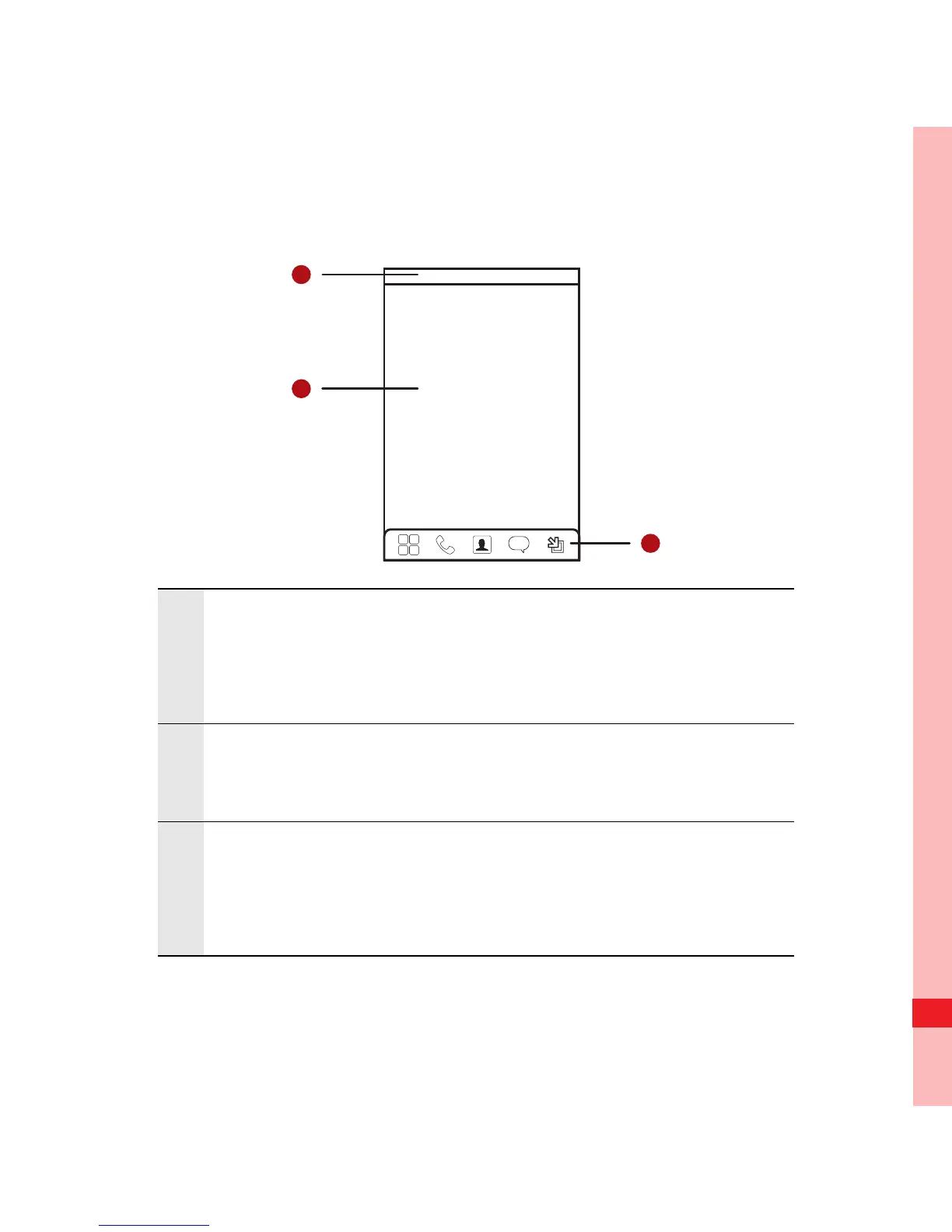
Canvas Screen
1
Notification bar: Displays the notifications and
status icons of your mobile phone. Flick down to
open the notification panel.
2
Display area: Shows the operation and display
areas of your mobile phone.
3
Interface switching buttons: Include the Main
Menu, Dialer, Contacts, Messages, and Zoom
buttons.
Ofrecido por www.electromanuales.com



 To Next Page