UPS2000-G-(1 kVA-3 kVA)
User Manual
Copyright © Huawei Technologies Co., Ltd.
installation method for 1 kVA UPS, 2 kVA UPS, and 3 kVA UPS are the same. The
figures below based on the 3 kVA UPS.
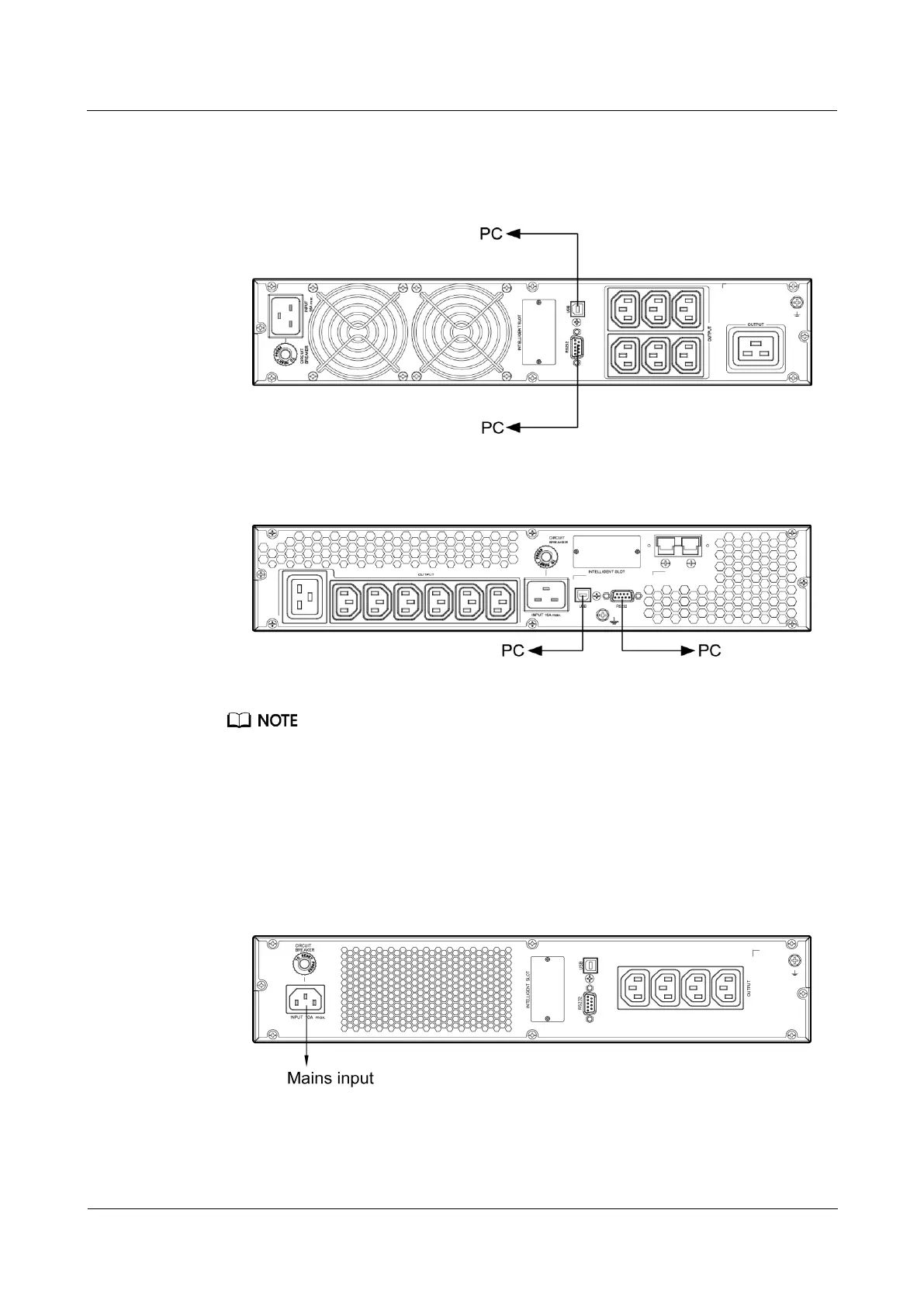
Figure 3-14 Connecting communications cables to the 3KRTS UPS
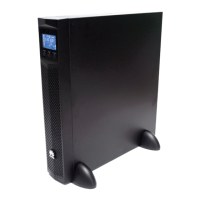
Figure 3-15 Connecting communications cables to the 3KRTL UPS
The USB channel supports a serial data communications protocol between the UPS and the PC.
If you connect a DB9 connector to the RS232 port, the UPS can communicate with the PC over
serial data.
The UPS support either USB or RS232.
To monitor the UPS over a PC, need to install the monitoring software iManager NetEco 1000U.
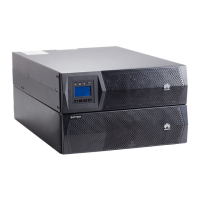
5. Take out input power cables from the fitting bag, and connect mains input power cables
to the UPS.
Figure 3-16 Connecting cables to the 1KRTS UPS input







 To Next Page