3.2 Normal upgrade process
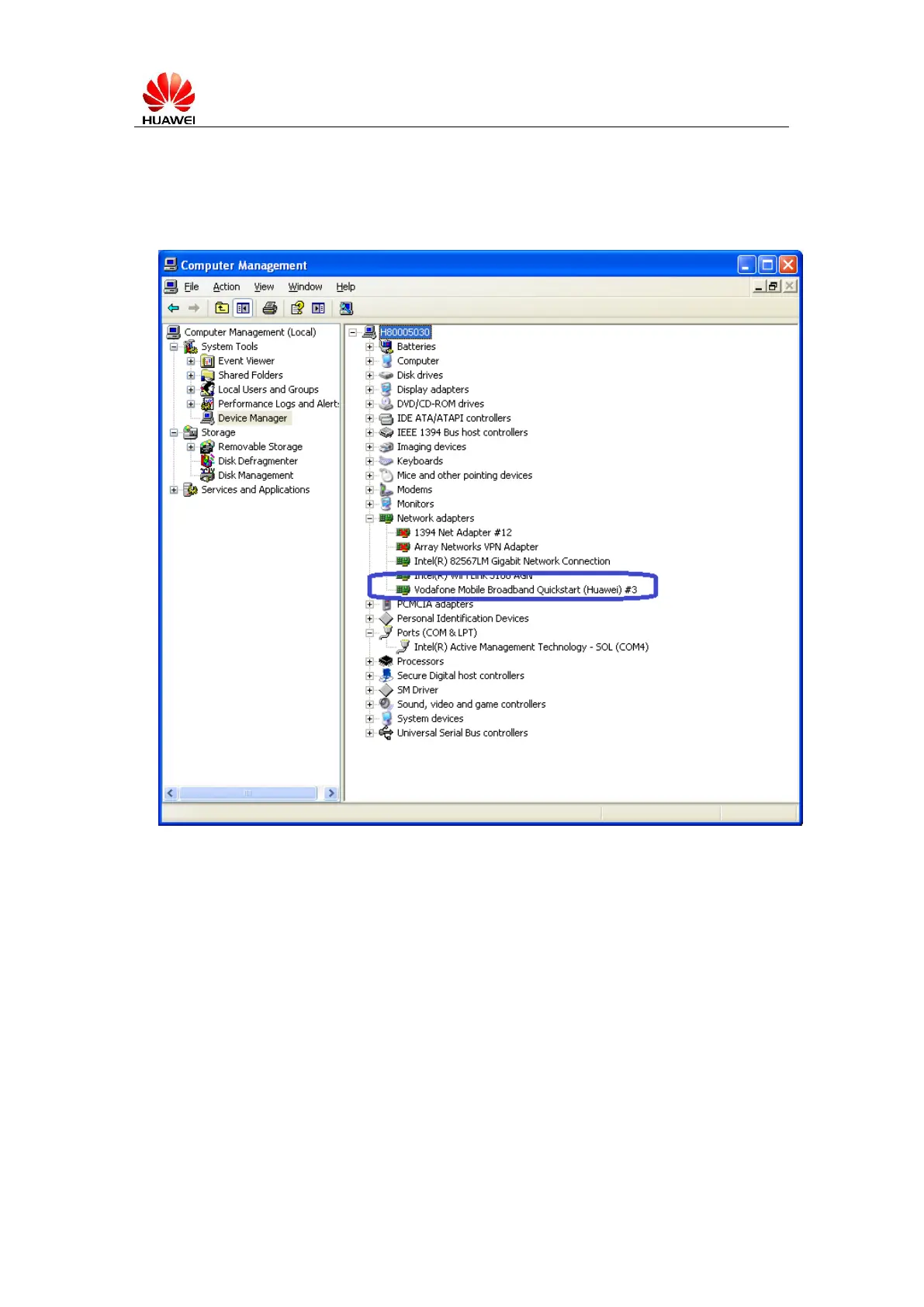
1. Insert device into Windows PC. Please check the ‘Computer Management’ ->
‘Device manager’ -> ‘Network adapters’
If the ‘Vodafone Mobile Broadband Quickstart’ appears, please go to next step directly.
Otherwise, please install the software indicated and provided by this device, because this
installation is very essential for the following upgrade.



 To Next Page