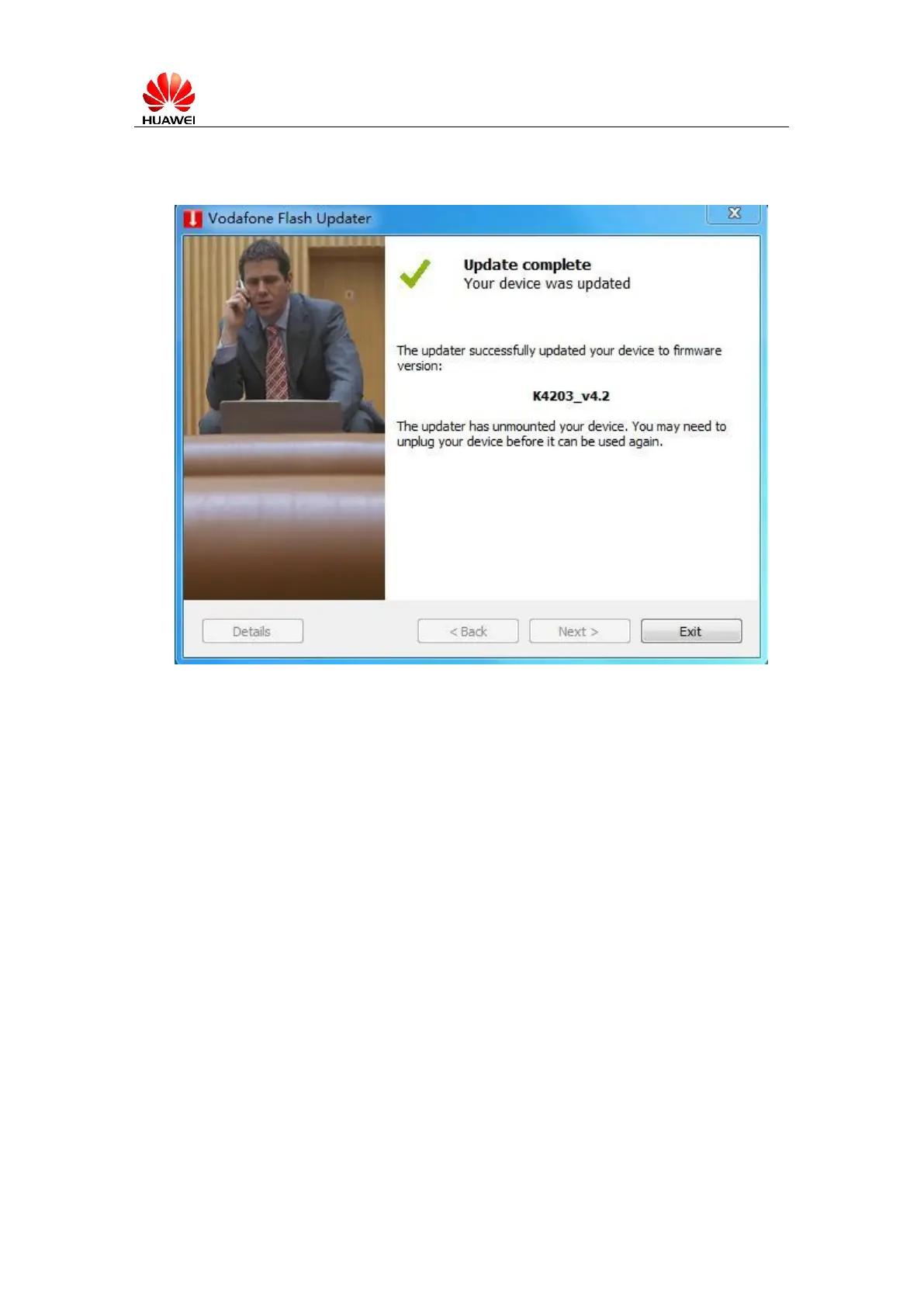
6. At last, all work complete, as below displayed (actual version is depended on the
upgraded firmware ), click”Exit”.
Figure 3.2.5 Upgrade Finish
7. After Upgrade Finish, please plug out the device, than insert K4203 again.
8. It’s highly recommended to do ‘Device Restore’. Please click WebUI Help ->
Diagnose.
3.3 Check software version
1.To the homepage: http://192.168.9.1, and login
then select “Help-->”Diagnostics” can see Version NO. 4.2, as below displayed:



 To Next Page