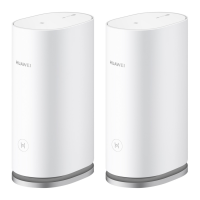
HUAWEI WiFi Mesh 3
Product Description
Error! Use the Home tab to apply 标题 1,heading 1 to
the text that you want to appear here.Error! Use the
Home tab to apply 标题 1,heading 1 to the text that
you want to appear here.
Huawei Proprietary and Confidential
Copyright © Huawei Device Co., Ltd.
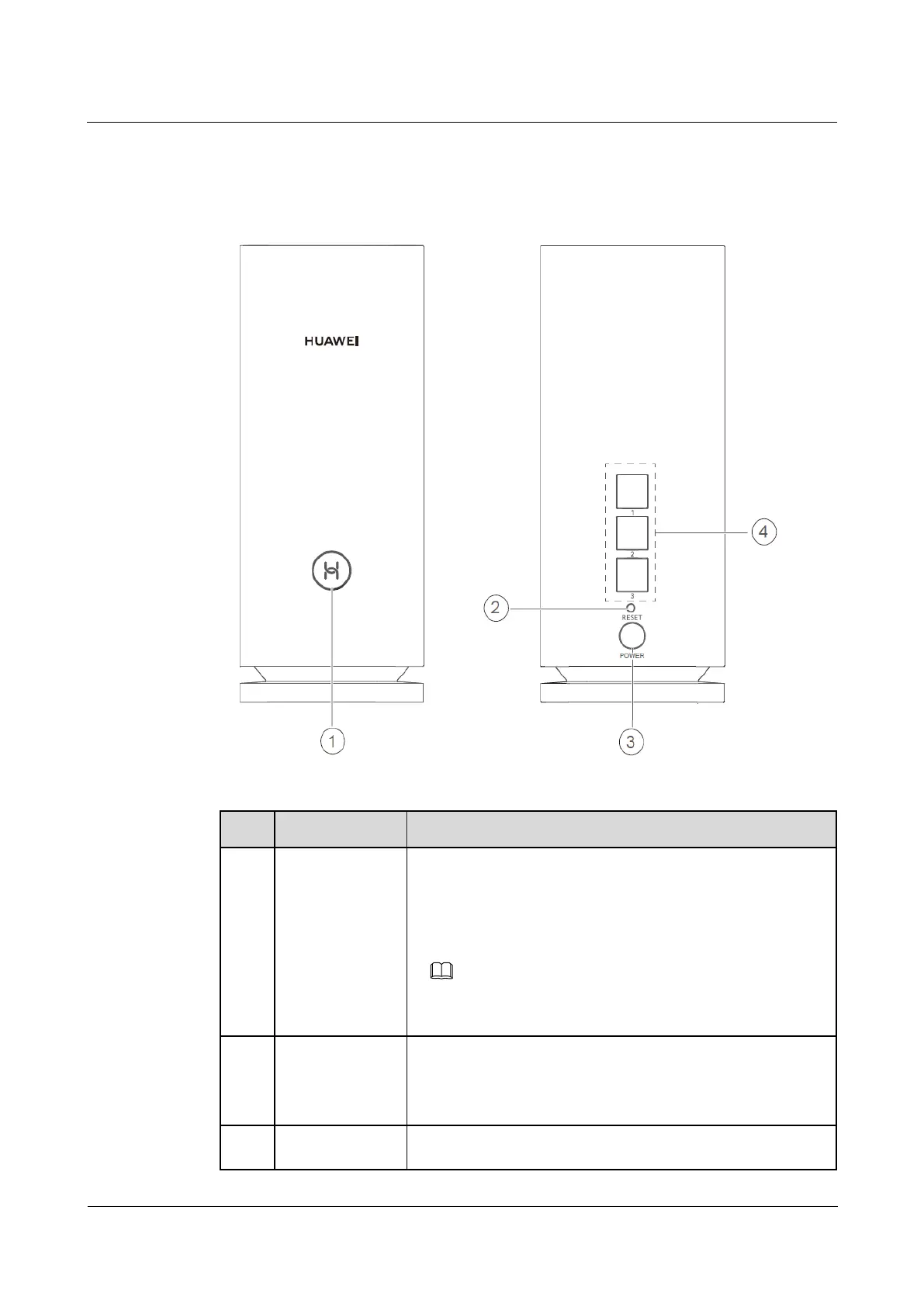
1.2 Button/Ports
Figure 1-2 Button/Ports
Table 1-1 Buttons and ports
The indicator will flash when the router discovers a device that
supports HarmonyOS Connect. You can press the H button to
connect the device to the router's Wi-Fi.
By pressing the H button, you can also enable WPS to connect
a WPS device to the router.
Devices that support HarmonyOS Connect include: HUAWEI routers,
etc.
When the router is powered on, you can use a pointed object to
press and hold the reset button for more than two seconds until
the indicator turns off. The router should now be restored to
factory settings.
Connect the power adapter to this port.

 To Next Page
 Loading...