13
Moving a home screen
: Touch and hold a home screen until the screen is highlighted,
and drag the home screen to the desired position.
Adding a home screen
: Touch to add a home screen.
Deleting a home screen
: Touch to delete a blank home screen.
Notification
Notification panel
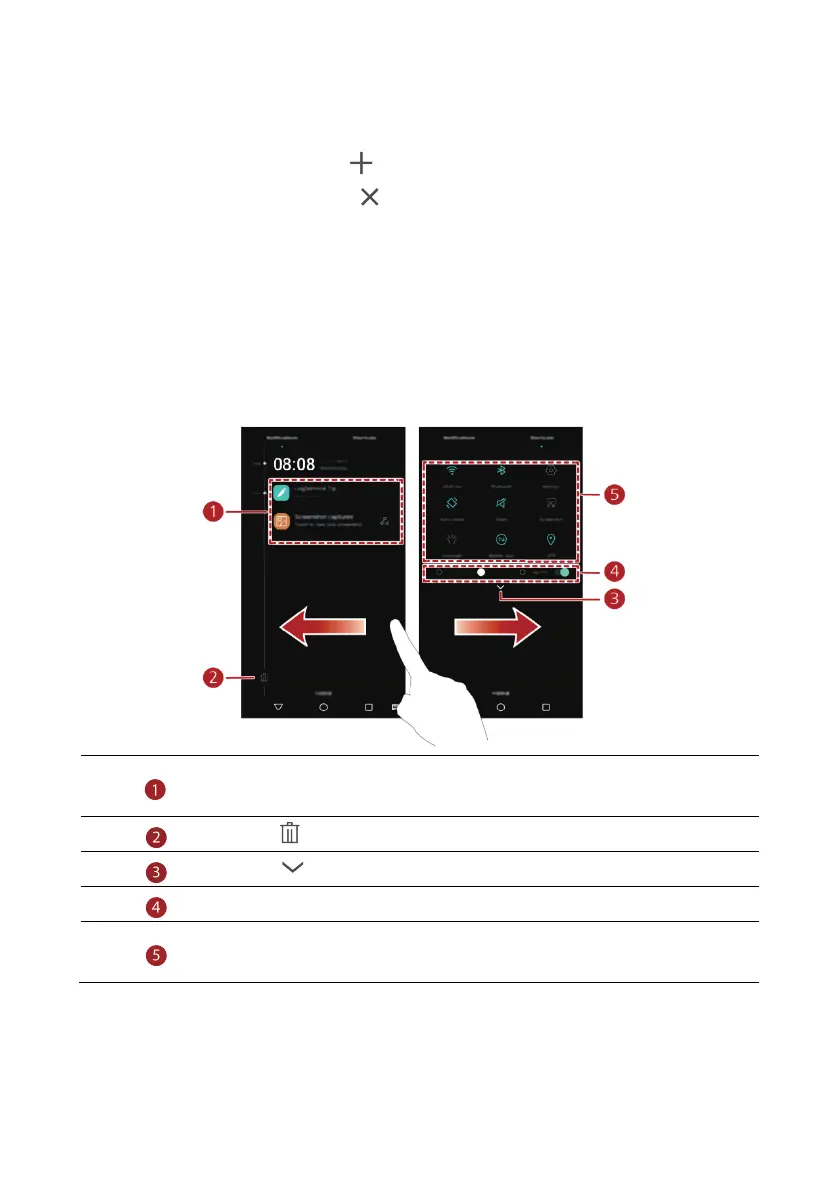
Flick down from the status bar to open the notification panel. Flick left or right to switch
between the notifications and shortcuts tabs.
Touch to view the notification details and flick left or right across a
notification to dismiss it.
Touch to delete all notifications.
Touch to expand or collapse the shortcut switches.
Touch to enable or disable automatic brightness.
Touch the shortcut switches on the notification panel to turn on or off the
functions.



 To Next Page