35
Music and video
Listening to music
1. On the home screen, touch .
2. Select a category.
3. Touch the song you want to play.
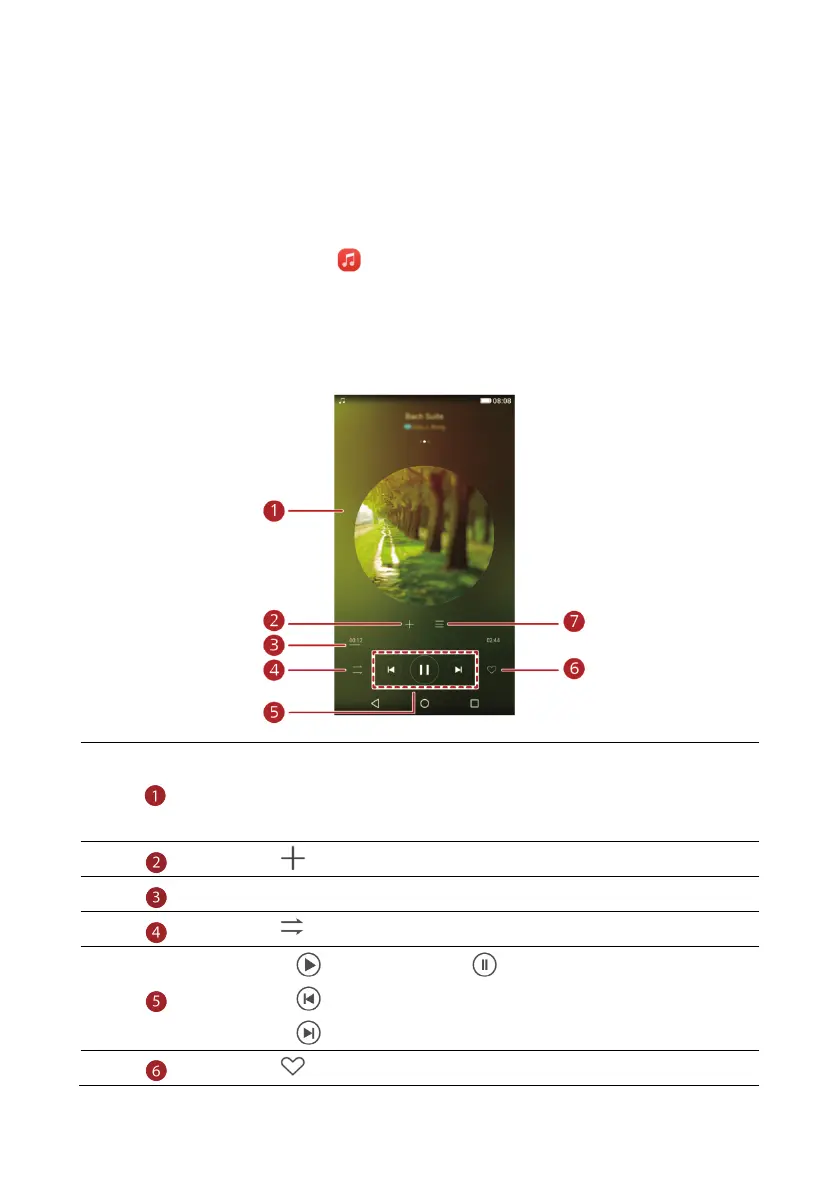
Touch the playing song to enter the main playback interface.
Flick left or right to switch between the album cover, playlist, and lyrics.
Touch this area, music volume adjustment and options menu will be
displayed.
Touch to add the playing song to a playlist.
Drag the slider to control the playback.
Touch to change the play mode.
Touch to play and touch to pause.
Touch to go back to the previous song.
Touch to skip to the next song.
Touch to add the playing song to your Favorites.



 To Next Page