37
Playing a video
1. On the home screen, touch .
2. Touch the video you want to play.
3. To stop the video playback, touch .
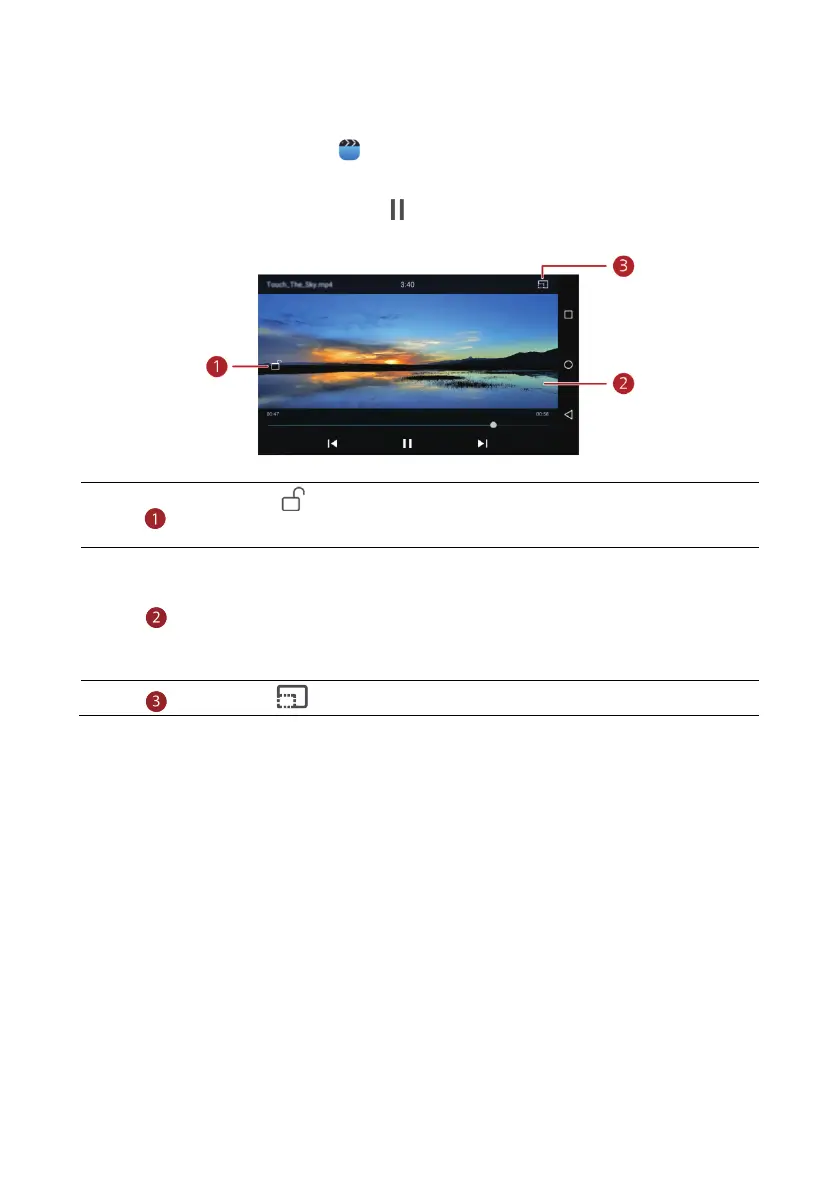
Touch to lock the screen. After the screen is locked, you will not be
able to perform any operations on the video playing interface.
Flick left or right to forward or replay the video.
Flick up or down at the left side of the screen to adjust the screen
brightness.
Flick up or down at the right side of the screen to adjust the volume.
Touch to switch to suspend window mode.



 To Next Page