30
Camera and gallery
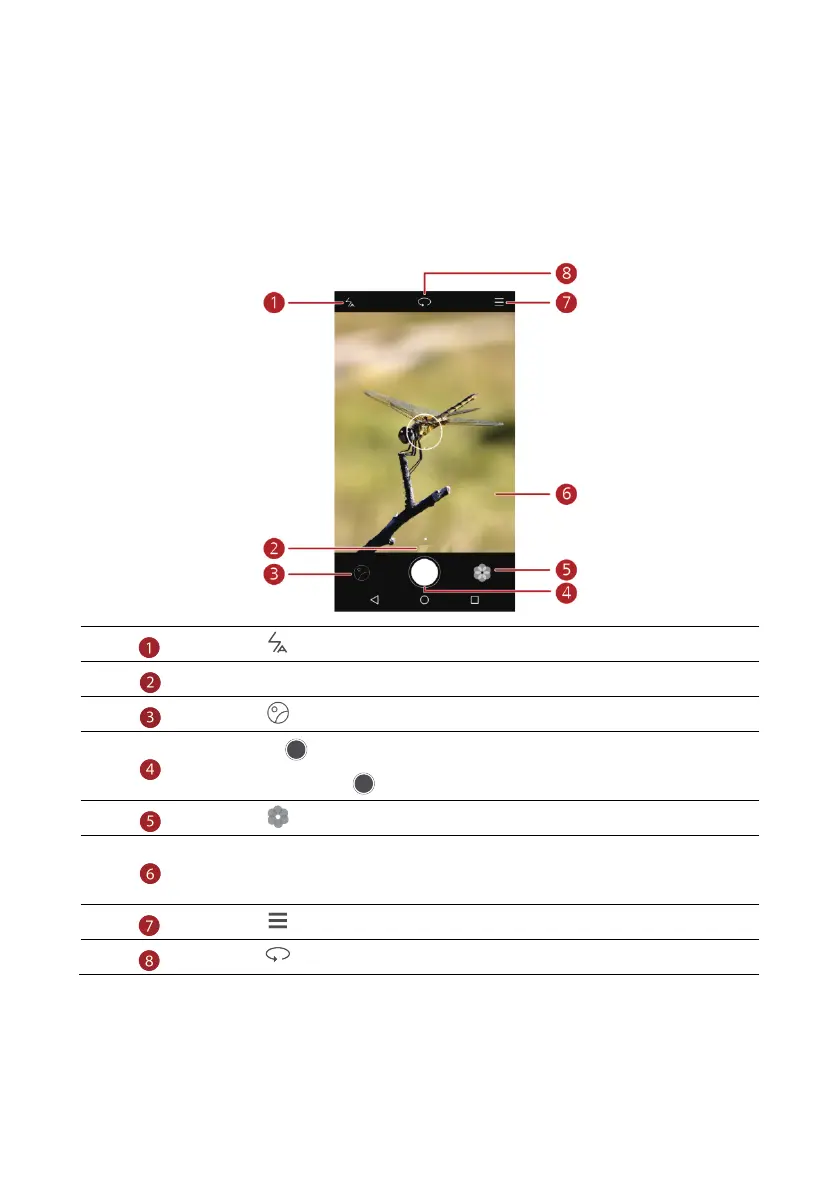
Capture screen
Touch to set the flash mode.
Flick left or right to switch the capture mode.
Touch to view your photos and videos.
Touch to take your photo.
Touch and hold to take burst shots, and release your finger to stop.
Touch to switch the filter.
Touch an object on the viewfinder to focus the camera on it.
Spread two fingers apart to zoom in or pinch them together to zoom out.
Touch for more options.
Touch to switch between the rear and front cameras.



 To Next Page