13
Troubleshooting
English
Account What do I do if I forgot
my password?
Click on the “Forgot Password” link
on https://app.hubbleconnected.
com/#lostpassword OR on your An-
droid™ or iOS application. An email
will be sent to your registered email
address.
Account I am unable to receive a
new password although
I have used the “Forgot
password” option.
1. The e-mail might have been sent
to your Junk Mail Folder. Please
check your Junk Mail Folder.
2. There might be a delay in getting
your e-mail. Please wait a few
minutes and refresh your email
account.
HubbleClub Cannot nd my product
model on APP.
There are more than one Hubble App.
Check if you download correct App
“HubbleClub By Hubble Connected”
and select Wellness.
Connectivity
Issues
I get a message: We
are having problems
accessing your device.
This could be due to
lack of internet connec-
tion. Please wait and
try again later.
1. Please try again in a few minutes.
This could be because of any issue
with your internet connection.
2. If the problem remains, please
restart your device to check if this
xes the problem.
3. Please restart your WIFI Router.
Connectivity
issues
I am not able to access
my device.
Please check if the device is within
Wi-Fi® range. Please try to move the
device closer to the router for better
Wi-Fi® connectivity and try again.
Connectivity
issues
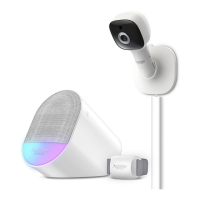
Sensor is ofine The sensor only shows online when
transmitting date. This happens every
60 to 70 seconds.



 To Next Page