7
Operation of Base Station
English
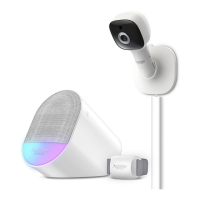
4. Operation of Base Station
4.1 Control Night Light
1. Tapping the Night Light icon on the top of Base Station will change
the color of night light. Tapping again with cycle all colors.
2. The brightness of night light can be adjusted by tapping the brightness
up
and brightness down icons.
4.2 Control Soothing Sound
1. Tap the Soothing Sound icon on the top of Base Station to change
the soothing sound.
2. The volume of the soothing sound can be adjusted by tapping the
volume up
and volume down icons.
4.3 ConnectChat™
ConnectChat™ in Guardian+ is designed in such a way that both parent and
child can send voice recorded messages to each other.
1. Tap and hold ConnectChat™ icon until a beep tone is heard from the
Base Station, release tapping and start recording a voice message. (A
single voice message can have maximum recording time of 20 sec.)
2. Tap ConnectChat™
icon again to stop the recording and send voice
massage to the smartphone registered in the HubbleClub App.
• Parent will receive an app notication when new voice message has
arrived.
• Parent in reply can record their voice message through the app
creating a bi-directional conversation.
3. When a new voice message is received, the night light of Base Station
will blink, tap ConnectChat™
icon to listen the voice massage from
HubbleClub App.



 To Next Page