6
System Requirements of Smart Device
2. System Requirements of Smart
Device
Smartphones/Tablets: Android™ and iOS® only.
Minimum System Requirement: iOS 12.0, Android 8.0, BT 4.2.
3. Getting Started
3.1 Power on Base Station
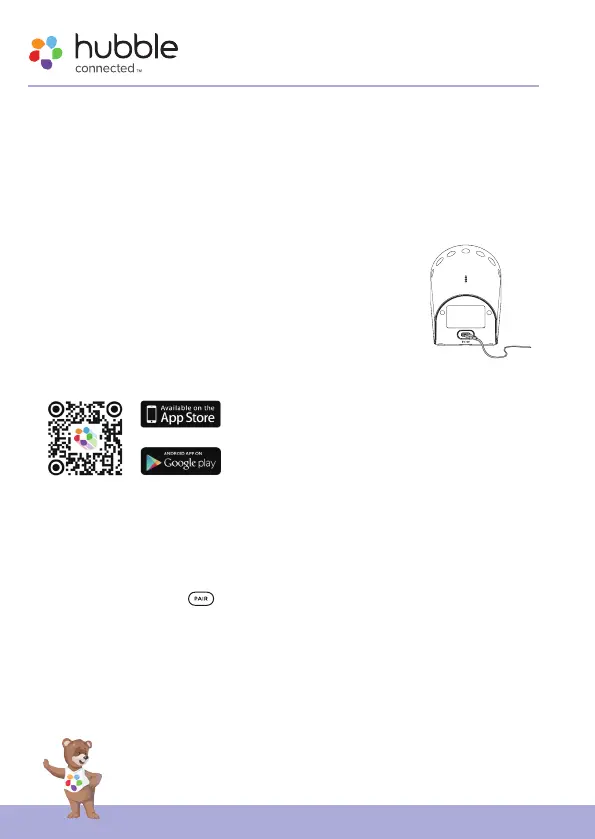
Connect Base Station through the USB charging cable
provided with a DC5V 1A power adapter (not included).
3.2 Connect to HubbleClub
• Scan the QR code with your smart device
and download HubbleClub by Hubble
Connected App from the App Store for
iOS devices or from the Google Play™
Store for Android™ devices.
• Install HubbleClub by Hubble Connected
App on your device.
1. Slide the Power On/Off switch to ON to turn Base Station on.
2. Open the HubbleClub by Hubble Connected App on your compatible
smartphone or tablet, select Wellness and then Guardian+ to access to
Base Station setup.
3. Press and hold Pair
button at the bottom of Base Station, you
will hear a voice prompt “Ready for Pairing” when the device enters
HubbleClub App pairing mode, follow the in-app instructions to
connect Base Station to your account.
4. If registration fails or connection cannot be completed during 60s,
connection mode will be turned off, please try again with steps 2 & 3.
5. Full control and full feat
ures can be accessed with HubbleClub App.



 To Next Page