9
Using of Smart Sensor
English
5. Using of Smart Sensor
5.1 Device Power and Charging
1. Install the power adaptor and insert the plug
into Base Station.
2. Power on and off using the switch under the
device.
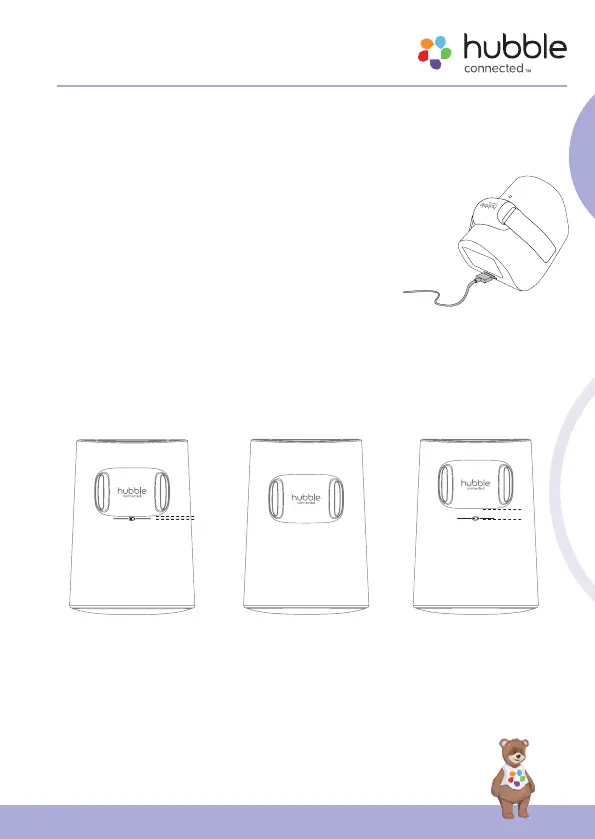
3. Charge the device by laying the sensor on the
charging pins of the base station. The base
station must be turned on for the Sensor to
charge.
4. Please place the sensor as the illustration below
for charging.
correct position for charging
1mm away from the indication line
CHARGING NOT CHARGING
incorrect position for charging
cover the indication line
NOT CHARGING
incorrect position for charging
around 5mm away fr
1mm
~5mm
5. The charging indicator will turn red during charging and will turn to blue
when the senor is fully charged.
Tip:
Switch off the sensor to charge when the senor is extremely low in battery.



 To Next Page