Ver. 1.0 – 10/17
In this example, you can see the HuddleCam model in use connected as a fully functional USB
3.0 device (HuddleCamHD) as well as a USB 2.0 device with limited functionality (USB 2.0
Camera).
If your device has not connected to or has not recognized the HuddleCam as an imaging device
(in which case, you may see a new “unknown device”, “Westbridge” or “CYTFX3” labeled device
show up in Device Manager’s “Universal Serial Bus Controllers” section rather than in the
“Imaging Devices” section), the HuddleCam will not be available to programs that utilize a
camera. In this case, try restarting the device and reconnecting the camera via USB – and to a
different available USB port, if possible.
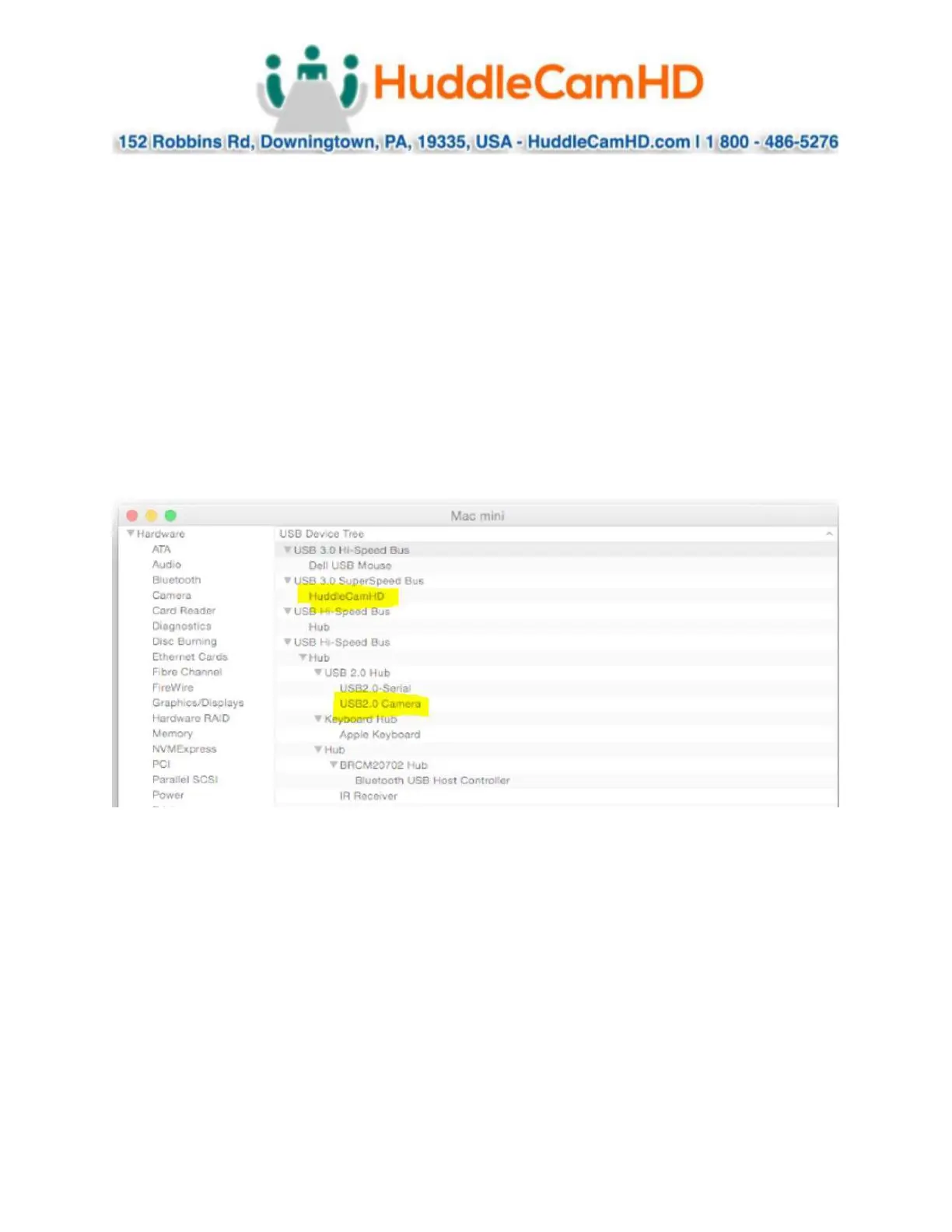
Similarly, you can see a connected device in System Information on a MAC. See screenshot
below:
In this example, you can see the HuddleCam model in use connected as a fully functional USB
3.0 device “HuddleCamHD” as well as a “USB2.0 camera” with limited functionality (USB 2.0
camera).


 To Next Page