Chapter 3 • Pointing the antenna by using the DAPT3
1039429-0001 Revision D
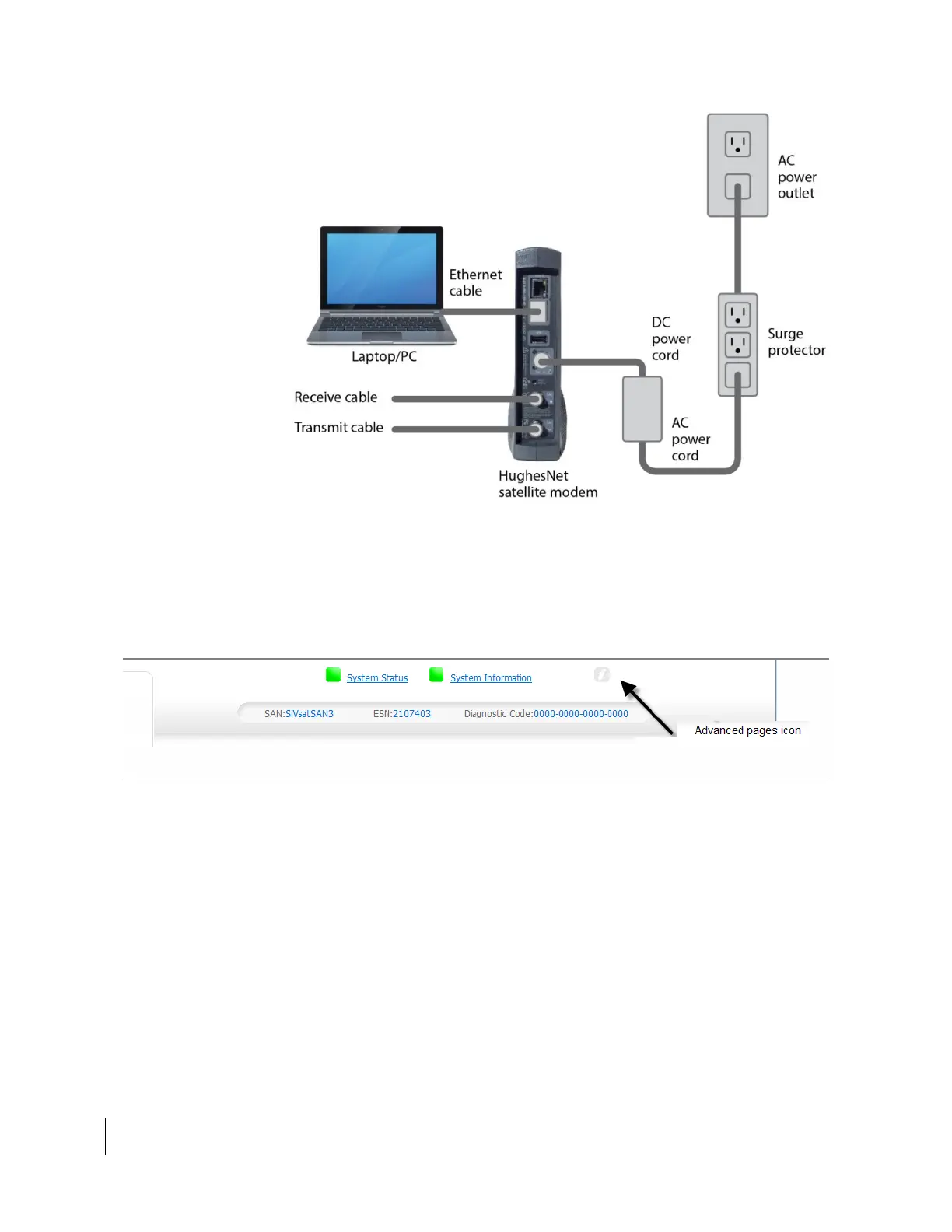
Figure 11: Connecting the installer laptop to the satellite modem (HT1300)
3. On your laptop, open a web browser. Supported browsers are listed in Local
user interface (LUI) on page 8.
4. Type 192.168.0.1 in the browser address bar and press Enter.
5. At the LUI System Control Center home page, click the small icon near the
upper right of the screen, as shown in Figure 12 (grayed out letter “i”).
Figure 12: Icon to Advanced Pages from System Control Center



 To Next Page