Chapter 3 • Pointing the antenna by using the DAPT3
1039429-0001 Revision D
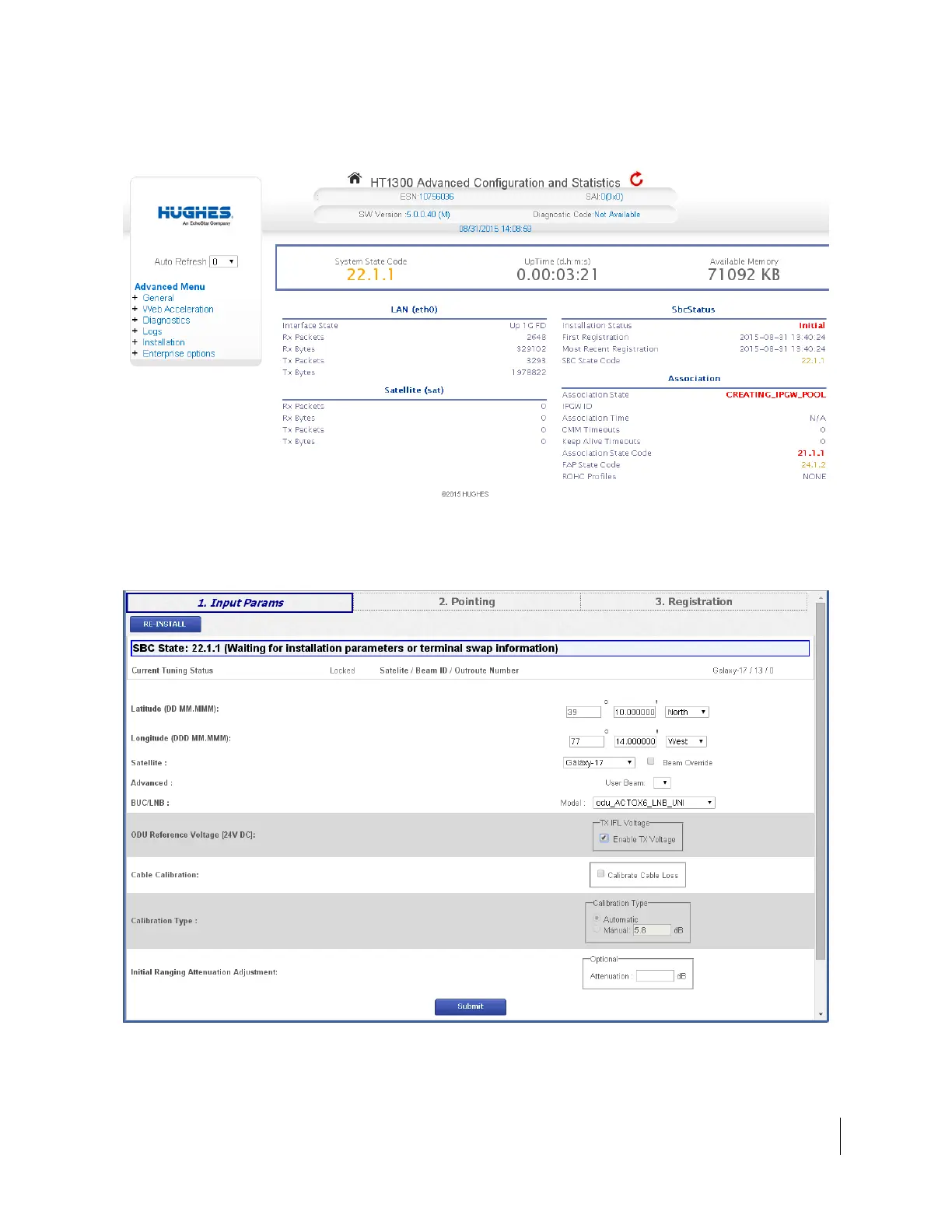
The Advanced Configuration and Statistics screen appears, as shown in
Figure 13.
Figure 13: Advanced Configuration and Statistics Installation screen
6. From the Advanced Menu (in the left panel), select Installation > Install.
7. The HT1300 Input Params screen opens (shown in Figure 14).
Figure 14: Input Params screen



 To Next Page