6
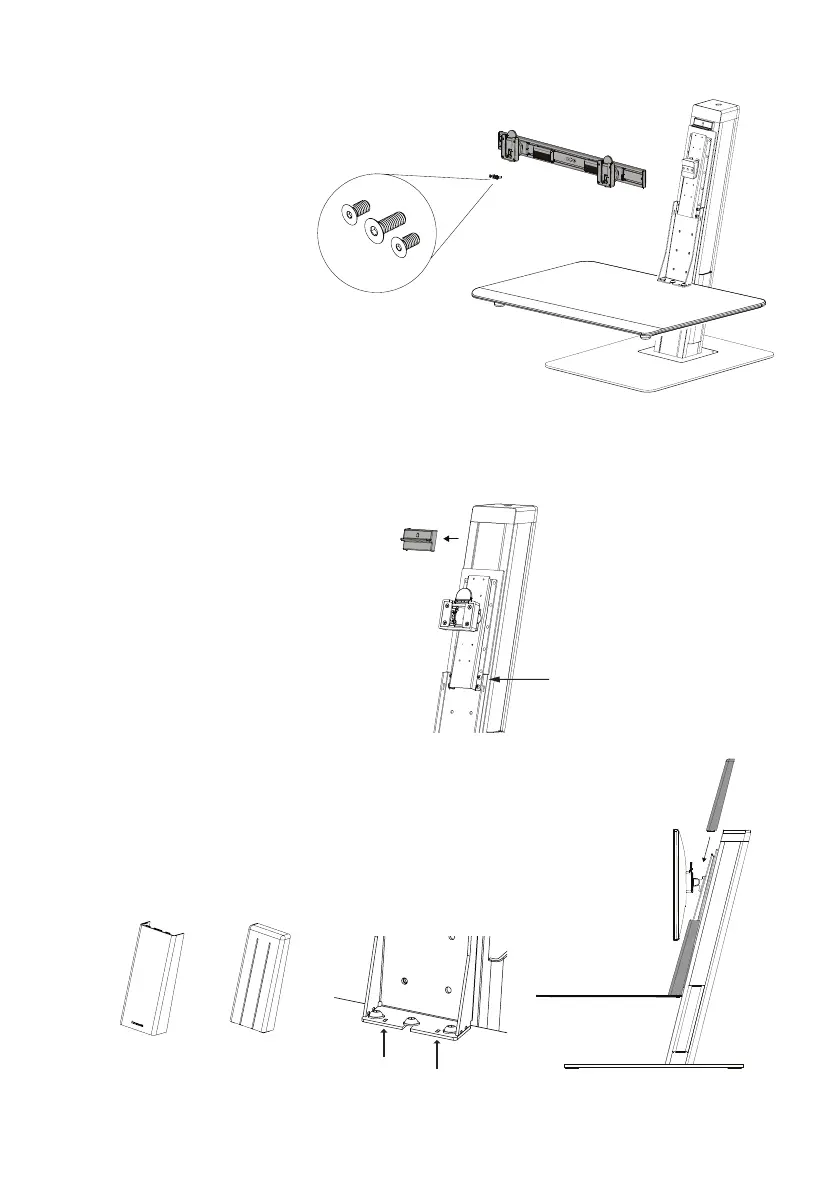
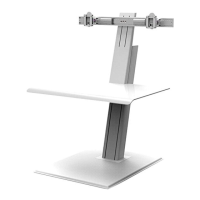
FOR DUAL MONITOR
1
Attach the crossbar to the unit using the 3 screws as shown.
2
Attach both monitors to the crossbar.
Refer to the crossbar installation manual.
① ②
NOTE: Total weight of the monitors and items on work surface
should not exceed 30lbs.
WARNING: PINCH POINT POTENTIAL!
KEEP FINGERS CLEAR
DURING OPERATION
Tools included for installation
2.5mm hex key
6mm hex key
Phillips head screw driver
Single monitor Dual monitorBasic
+
Tools included for installation
2.5mm hex key
6mm hex key
Phillips head screw driver
Single monitor Dual monitorBasic
+
lower cover
upper cover
Remove Safety Lock
1
Push the keyboard platform down to remove the lock piece.
Attach Plastic Covers
1
Make sure the tabs on the lower cover slide
into the slots in the bracket (see arrows).
2
Slide the upper cover down from the top
(behind the monitor mount bracket).


 To Next Page