Settings
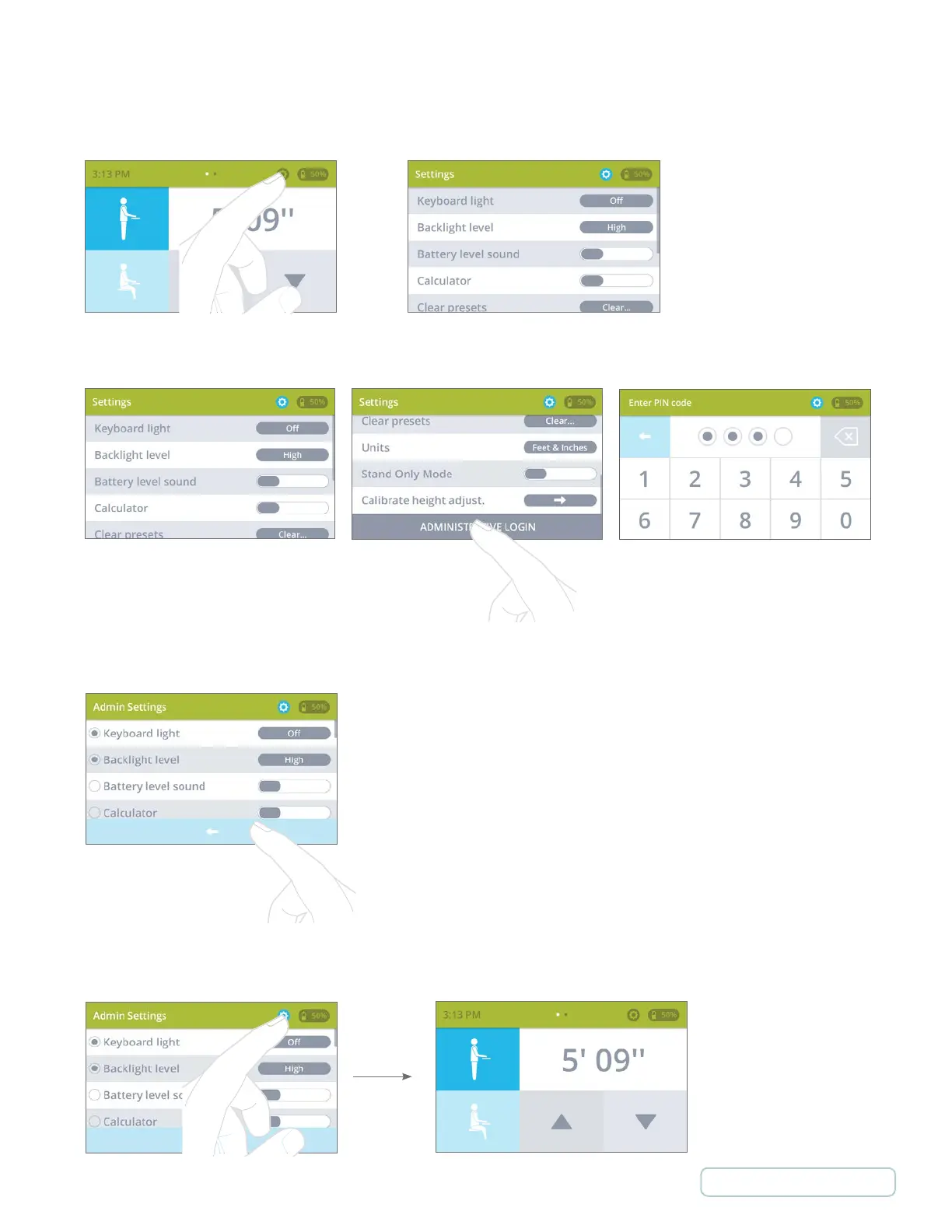
Getting into User Settings from Manual and Preset Mode
Getting into Admin Settings from User Settings
Scroll down to the bottom of the User
Settings list
Enter PIN to get into Admin Settings
Default Pin: 1234
Press
Changing setting display location between User settings and Admin settings
Selecting check button the setting
will appear in User settings.
Back button returns to User Settings
Press
Exit Settings
Press
25
Return to Table of Contents



 To Next Page