Charging looping sequence
Battery charge level is
<25%
- LED 1 blinking white
Battery charge level is
>75% and <100 %
- LED 4 blinking white
- LED 3 solid white
- LED 2 solid white
- LED 1 solid white
Battery charge level is
100 %
- LED 4 solid white
- LED 3 solid white
- LED 2 solid white
- LED 1 solid white
Battery charge level is
>25% and <50 %
- LED 2 blinking white
- LED 1 solid white
Battery charge level is
>50% and <75 %
- LED 3 blinking white
- LED 2 solid white
- LED 1 solid white
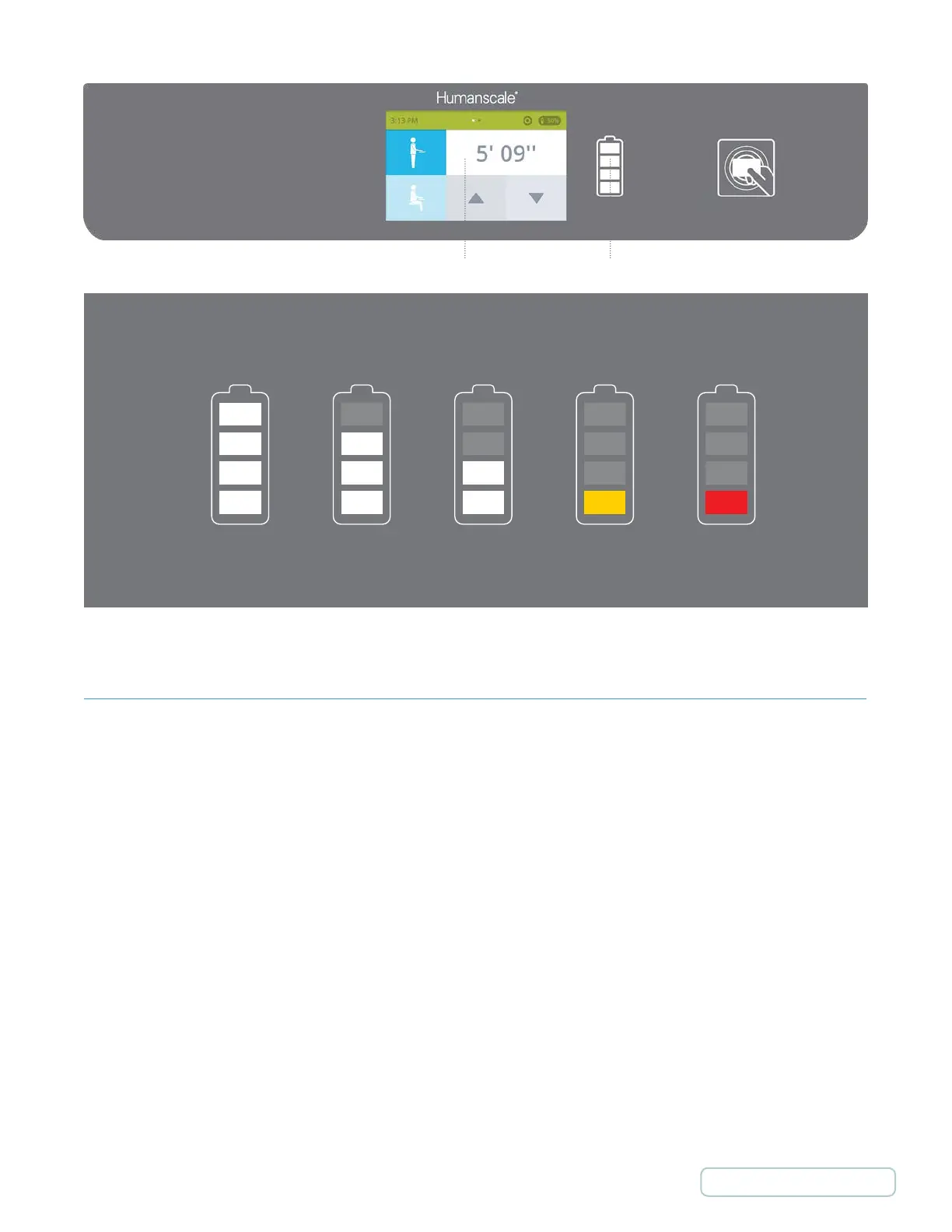
100 %
Steady white lights
Battery level indication
Steady white lights Steady white lights Steady yellow light Blinking red light
75% 50% 25 % <15 %
Touch Screen Display Battery Level Indicator
6.4 SHUTDOWN SWITCH
The T7’s shutdown switch is located underneath the work surface, in the rear left-hand corner as ou are facing the cart. Its
main function is to limit power to the customer accessory outlets. It also turns the touch screen display off. This function is
useful when initially configuring the added cart equipment (hardware, monitor, etc.) or to reduce discharge of internal battery
source when the cart will not be used for an extended period of time.
40
Return to Table of Contents



 To Next Page