9
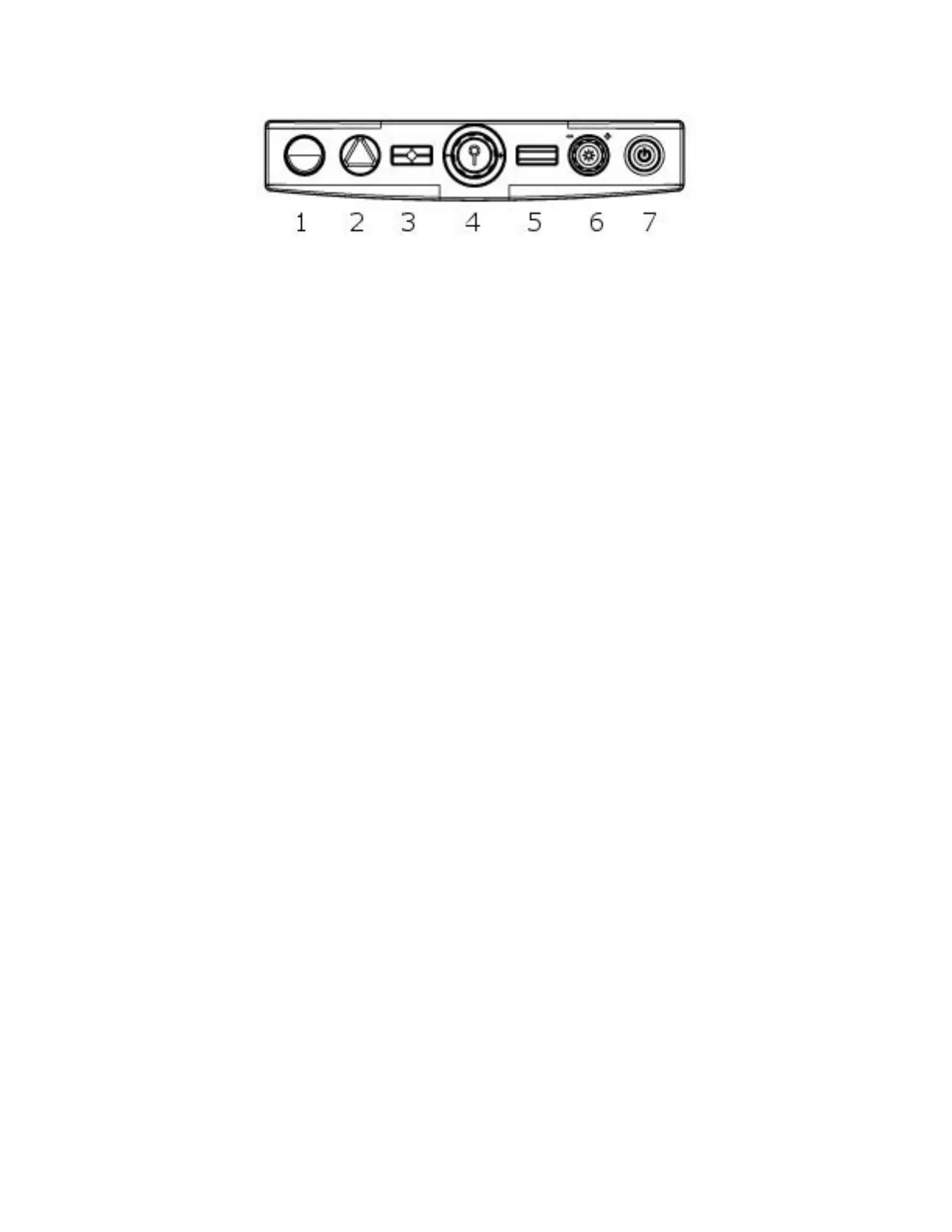
Figure 8: The Control panel
1- Enhanced contrast button
2- Color Mode button
3- Freeze / Find button
4- Zoom knob
5- Function button
6- Brightness/Navigate knob
7- Power button
3.1 Description of control panel buttons
3.1.1 Power button
The
Power
button is the last button on the right. It is
used to power on and off the SmartView 360. When the
Power is on, the
Power
button will glow green.
3.1.2 Enhanced contrast mode button
The
Enhanced contrast mode
button is the first button
on the left. When in Color mode, use the
Enhanced
contrast
button to switch to Enhanced contrast mode.



 To Next Page