
 Need help?
Do you have a question about the Humminbird 550 and is the answer not in the manual?
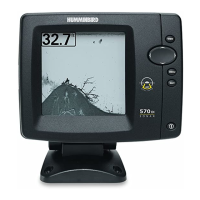
Explains the 550 and 560 Fishfinder's sonar system.
Explains the 561 and 570 Fishfinder's dual beam sonar.
Powers on/off and adjusts backlight/contrast.
Accesses menu system (Start-Up, X-Press, Main).
Navigates menus and controls cursors.
Multiple functions: cancel alarm, exit menus, cycle views.
Accessed during power-up to select Normal, Simulator, or System Status.
 General
| GPS | No |
|---|---|
| Target Separation | 2.5 Inches |
| Display Size | 5 inches |
| Display Type | LCD |
| Display Resolution | 320 x 320 |
| Sonar Coverage | 20° / 60° |
| Sonar Type | Dual Beam |
| Water Resistance | Yes |
| Display Pixel Matrix | 320 x 320 pixels |





 To Next Page