34
7. SET UP THE LIGHTNING FUNCTIONS
7.2 CONFIGURE AUTO LIST
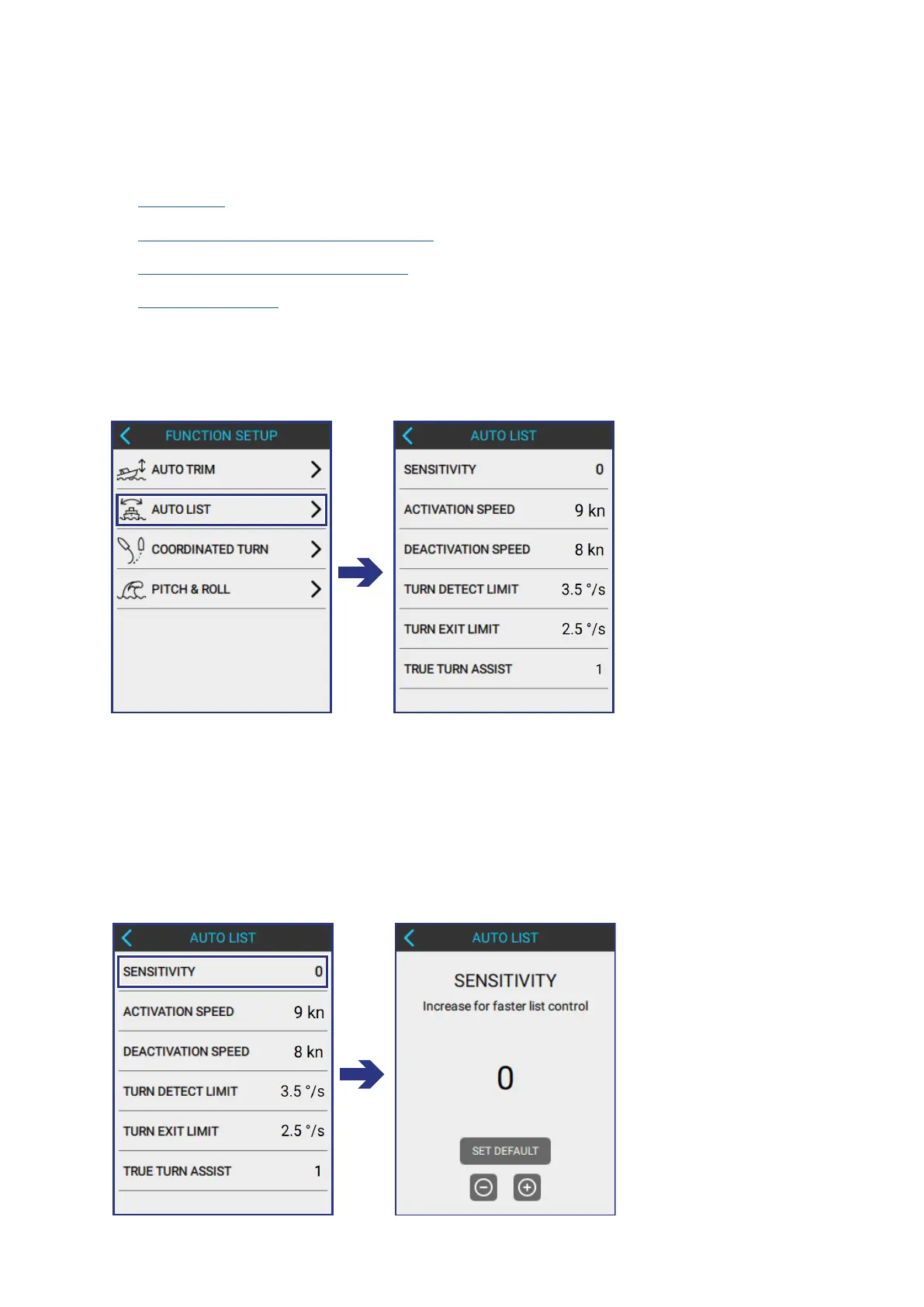
Input the following information to correctly congure the AUTO LIST function
according to the needs of the boat:
• Sensitivity
• Activation and Deactivation Speed
• Turn Detect and Turn Exit Limit
• True Turn Assist
To open the AUTO LIST screen, do the following:
FUNCTION SETUP > AUTO LIST
7.2.1 ADJUST THE LIST SENSITIVITY
Sensitivity regulates the Auto List compensation reaction time.
Increase the list sensitivity if the list compensation feels slow when the boat
experiences a new load condition or wind angle.
To adjust Sensitivity, do the following:
AUTO LIST > SENSITIVITY



 To Next Page