9 42934-01
Operation
Using the Ionizer
Using the Ionizer improves the quality of air in the room. Negative ions are released into
the air to attract positively charged dust, smoke, and pollen particles. These particles settle
out of the air and can be vacuumed up during normal room cleaning. These particles are
also more easily captured by the HEPAtech
®
Main Filter as they pass through the HEPAtech
®
Plus Air Purication System. To ensure the best air circulation in the room, Hunter recom-
mends that you place your Air Purier six (6) inches away from any walls.
To turn the ionizer on or o:
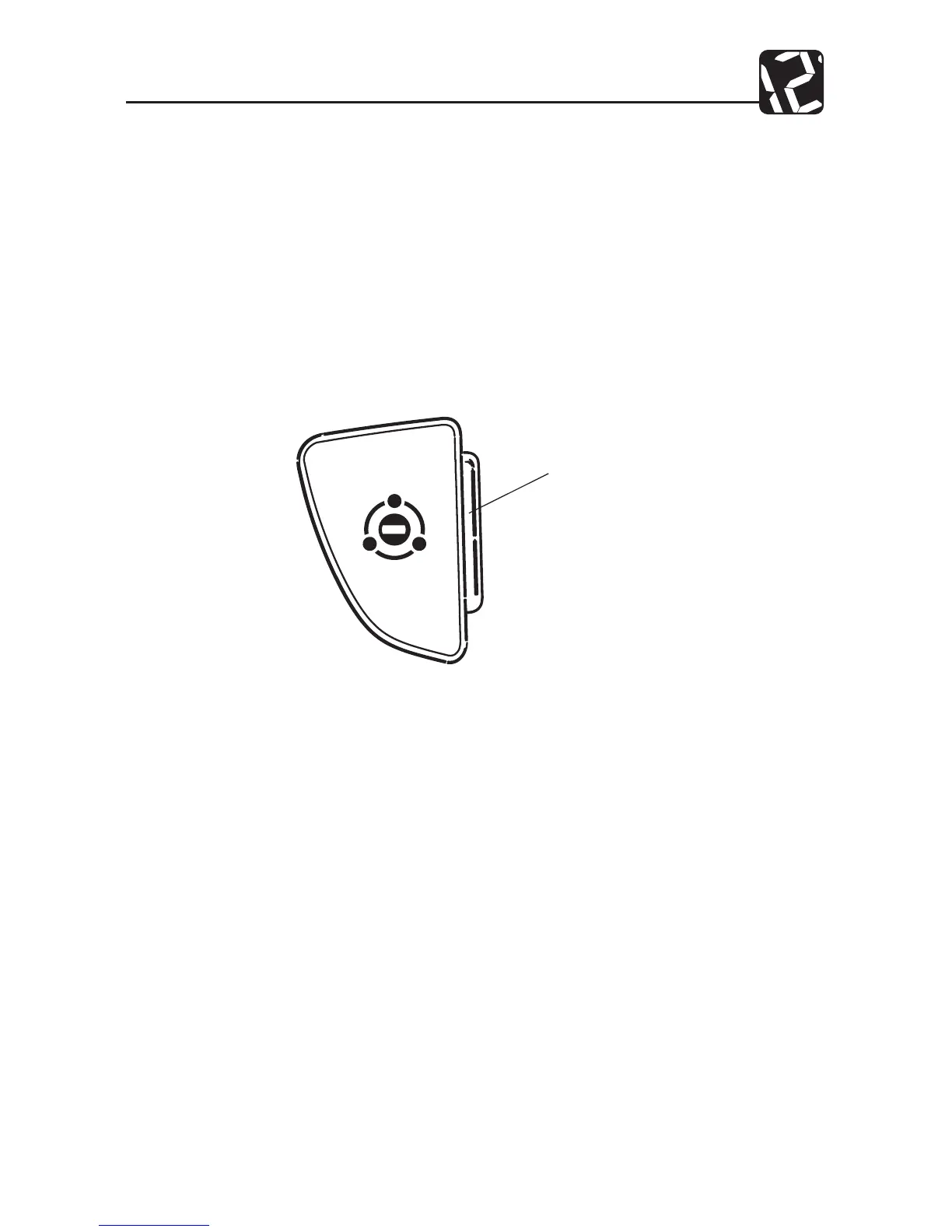
1. To turn the Ionizer on, press the Ionizer Key. The amber Ionizer Indicator will
turn on. Refer to Fig. 9.
2. To turn the Ionizer o, press the Ionizer Key. The amber Ionizer Indicator will
turn o.
When the ionizer is on, the amber Ionizer Indicator will remain illuminated.
IONIZER
INDICATOR AMBER
Fig. 9
NOTE: If the Air Purier is used in a room where smoke is present - cigarette, cigar, pipe,
candles, replace, etc. - then TURN THE IONIZER OFF. Running the Ionizer in the pres-
ence of smoke may, under certain conditions, cause smoke particles to adhere to oors,
furniture, and walls near the Air Purier. These particles are known as “gray dust” and are
unsightly and dicult to remove. Gray dust particles ARE NOT produced by your Hunter
Air Purier, but are already present in the air as smoke by-products. With the Ionizer
turned o, these particles will be captured in the Air Purier’s lters as the unit circulates
and cleans the air in the room.



 To Next Page