44043-01 • 02/19/2010
22
2
Installation
Selector Switches
1. F°/C° selector (Fahrenheit / Celsius):
Your thermostat is set for F° mode from the factory. In order to change to C°
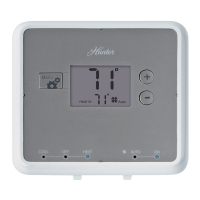
mode, slide the switch to C° and press the reset button on front of the thermostat
with a paper clip.
NOTE: Unless the reset button is pressed, the thermostat will not change
temperature mode.
2. Heating System Selector (HG - HE switch):
The factory position for this switch is in the “HG” position. Leave it in this position
if you have a gas furnace or an oil burner. If you have an electric furnace, test to
see whether the Heat and Fan come on as expected after installation. If the Fan
operation is normal, leave it in the “HG” position. If the Fan does not come on
within a minute of the thermostat calling for heat, change the switch position to
“HE”. The system selector has no effect in the cooling mode.
NOTE: “HG” position is for gas and most other systems. “HE” position is for
certain electric systems having a fan relay.


 To Next Page