EasyManua.ls Logo

Hunter 99123 - User Manual

Hunter 99123
16 pages
Print Icon
To Next Page IconTo Next Page
Loading...
www.HunterFan.com
1.888.830.1326
Model 99122, 99123
Universal 3 Speed
Ceiling Fan Remote
Installation
OR OR OR
Remove the canopy. If uncertain
how to remove it, reference the fans
owners manual. With wiring exposed,
it may be helpful to note existing wire
connections or take a digital photo for
reference. Remove the wire connectors
that connect the wires from the outlet
box to the fan, leaving the grounding
wires connected.
Before installing the
Universal Remote Control
Receiver, use the pull chains
to set the fan speed to HIGH
and the light to ON. Be
sure power is OFF before
proceeding with installation.
Choose the hanging system that most closely resembles the one used by your fan and install the receiver as shown and wire as directed.
Note: Some fans may have considerable excess lead wire. For easier canopy installation, cut the excess wire, leaving a minimum of 8” remaining. Re-strip the fan lead wires 1/2”. Place remaining excess
wire into the ceiling electrical box. The bracket and fan must remain properly grounded.
You may have installation issues if the fan is installed on an angled ceiling. For assistance, call 1-888-830-1326.
Ceiling
Plate
Receive
r
Canopy
Receiver
Canopy
Ceiling
Bracket
Receiver
Fan Body
Cable Tie
For low prole fans, the receiver should
be secured to the ceiling bracket with a
cable tie.
Receiver
Canopy
M0060-01 01/15/14 © Hunter Fan Company
Turn Power
OFF
If you are installing multiple remote-controlled fans
on the same circuit breaker,
you may need to perform a few extra steps to prevent
interference or faulty operation of your remote controls.
Go to www.HunterFan.com/FAQs and click “How do I properly
install multiple remote-controlled fans?” for more information.
Wiring
CONNECT WIRES FROM RECEIVER TO FAN - Using the orange wire connectors, connect the blue wire from the
receiver to the blue wire (or possibly black with white stripe wire) from the fan. Connect the yellow wire from the
receiver to the black wire from the fan.
If youre uncertain about wire colors or connections, please contact a qualied electrician.
CONNECT WIRES FROM RECEIVER AND FAN TO WIRES FROM OUTLET BOX - Using the orange wire connectors,
connect the black wire (ungrounded) from the ceiling to the black wire from the receiver. Connect the white wire
(grounded) from the ceiling to both the white wire from the receiver and the white wire from the fan.
AFTER ALL WIRES ARE CONNECTED and secured with wire connectors, re-install the canopy.
Turn the splices upward and push them carefully back through the hanger bracket
into the outlet box. Spread the wires apart, with the grounded wires on one side of
the outlet box and the ungrounded wires on the other side of the outlet box.
To avoid possible electrical shock, before installing or servicing your fan, disconnect
the power by turning off the circuit breakers to the outlet box and associated wall
switch location. If you cannot lock the circuit breakers in the off position, securely
fasten a prominent warning device, such as a tag, to the service panel.
F
R
O
M
C
E
I
L
I
N
G
F
R
O
M
R
E
C
E
I
V
E
R
black
blue
yellow
blue
F
R
O
M
F
A
N
F
R
O
M
R
E
C
E
I
V
E
R
black
white white (grounded)
black (ungrounded)
white
F
R
O
M
F
A
N
Question and Answer IconNeed help?

Do you have a question about the Hunter 99123 and is the answer not in the manual?

Summary

Installation

Wiring

Receiver to Fan Connections

Connect receiver wires (blue to blue/black, yellow to black) using wire connectors. Consult electrician if uncertain.

Outlet Box Connections

Connect receiver and fan wires to the ceiling outlet box wires (black to black, white to white) and re-install canopy.

Maintenance

Pairing

Remote Pairing Procedure

Pair the remote within 3 minutes of restoring power by pressing 'Fan Off' and 'High' buttons for 4 seconds for successful syncing.

Operation

Remote Control Functions

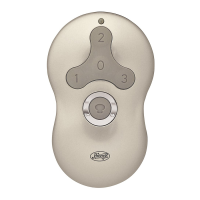
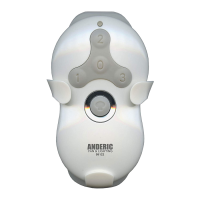
Use 'Fan Off' to turn off the fan. Press speed buttons (1, 2, 3) to turn on. Hold 'Light' for dimming.

Cradle Installation

Safe-Exit Feature

Troubleshooting

Summary

Installation

Wiring

Receiver to Fan Connections

Connect receiver wires (blue to blue/black, yellow to black) using wire connectors. Consult electrician if uncertain.

Outlet Box Connections

Connect receiver and fan wires to the ceiling outlet box wires (black to black, white to white) and re-install canopy.

Maintenance

Pairing

Remote Pairing Procedure

Pair the remote within 3 minutes of restoring power by pressing 'Fan Off' and 'High' buttons for 4 seconds for successful syncing.

Operation

Remote Control Functions

Use 'Fan Off' to turn off the fan. Press speed buttons (1, 2, 3) to turn on. Hold 'Light' for dimming.

Cradle Installation

Safe-Exit Feature

Troubleshooting

Overview

This document describes the Hunter Universal 3 Speed Ceiling Fan Remote, models 99122 and 99123, providing instructions for installation, operation, maintenance, and troubleshooting.

Function Description:

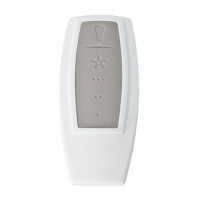
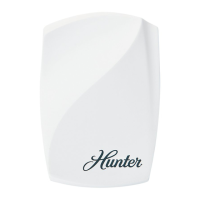
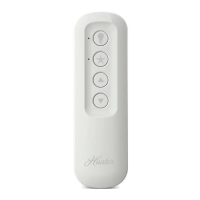
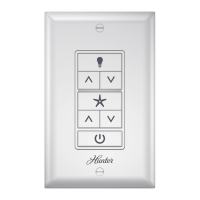
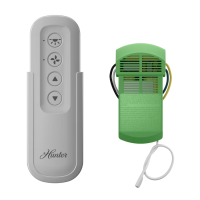
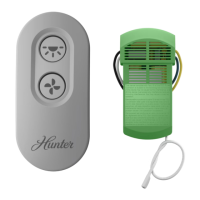
The Hunter Universal 3 Speed Ceiling Fan Remote is designed to provide wireless control over a ceiling fan's speed and light functions. It allows users to turn the fan on and off, adjust its speed to high, medium, or low, and control the fan's light, including dimming capabilities. The remote system consists of a transmitter (the handheld remote) and a receiver that is installed within the fan's canopy or ceiling bracket. This remote control system is compatible with various Hunter ceiling fan hanging systems, including those for low-profile fans.

Important Technical Specifications:

The product conforms to UL Standard 507. It complies with Part 15 of the FCC Rules and RSS-210 of Industry Canada, ensuring it meets standards for radio frequency interference. The remote uses a CR2032 battery, which should be installed with the positive (+) side up. The system is designed for 3-speed ceiling fans.

Installation:

Before installing the Universal Remote Control Receiver, it is crucial to turn off power at the circuit breaker. The fan's pull chains should be set to HIGH speed and the light to ON. The fan's canopy must be removed to access the wiring. If uncertain about canopy removal, the fan's owner's manual should be consulted. It's recommended to note existing wire connections or take a photo before disconnecting wires from the outlet box, leaving grounding wires connected.

The receiver installation varies depending on the fan's hanging system. The manual illustrates three common installation methods:

  1. Standard Hanging System: The receiver is placed within the canopy, above the downrod.
  2. Canopy-Integrated System: The receiver is placed within the canopy, often alongside other wiring components.
  3. Low Profile Fans: For low-profile fans, the receiver should be secured to the ceiling bracket with a cable tie to ensure it fits properly.

When installing, any excess lead wire from the fan should be cut, leaving a minimum of 8 inches, and then re-stripped by 1/2 inch. The remaining excess wire should be placed into the ceiling electrical box. It is critical that the bracket and fan remain properly grounded. For angled ceilings, specific installation issues may arise, and assistance can be sought by calling 1-888-830-1326.

Wiring:

Wiring involves connecting the receiver to the fan and then connecting the receiver and fan to the outlet box wires using orange wire connectors.

  • Receiver to Fan:
    • Connect the blue wire from the receiver to the blue wire (or possibly black with white stripe wire) from the fan.
    • Connect the yellow wire from the receiver to the black wire from the fan.
  • Receiver and Fan to Outlet Box:
    • Connect the black wire (ungrounded) from the ceiling to the black wire from the receiver.
    • Connect the white wire (grounded) from the ceiling to both the white wire from the receiver and the white wire from the fan.

After all wires are connected and secured, the canopy can be re-installed. The splices should be pushed carefully back through the hanger bracket into the outlet box, with grounded wires on one side and ungrounded wires on the other.

Usage Features:

  • Pairing: The remote must be paired with the fan before operation. Within 3 minutes of restoring power to the fan, press both the "Fan Off" button and the "High" button for at least 4 seconds. The fan will turn on low to indicate successful syncing. If syncing fails, turn off power, wait 1 minute, and try again. For multiple fans, this process must be repeated for each fan.
  • Fan Control:
    • "Fan Off" button: Turns the fan off.
    • Speed buttons (1, 2, 3): Turn the fan on at the desired speed (1=Low, 2=Medium, 3=High).
  • Light Control:
    • Light button: Quickly press to turn lights off and on. Hold the button to raise and dim the light level.
  • Safe-Exit Program: This feature provides approximately thirty seconds of light after turning the lights off, allowing time to exit the room before the lights completely extinguish. To activate, press the "Fan Off" button for at least three seconds. The lights will flash for visual confirmation, then stay at 50% brightness for 15 seconds before dimming, turning off completely after 30 seconds. For CFL lighting, lights stay at 100% brightness for 30 seconds before turning off.
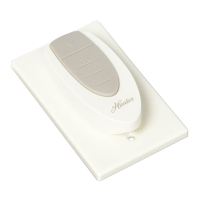
  • Transmitter Cradle: A cradle is provided for wall mounting the remote. To install, remove the two screws holding the existing switch cover plate (do not remove the cover plate itself). Line up the cradle's mounting holes with those on the cover plate, insert, and tighten the screws without overtightening. For paddle-style switches, tabs on the cradle can be broken off by pushing outward.

Maintenance Features:

  • Battery Replacement: To access the battery compartment, remove the small Phillips head screw securing the battery door to the transmitter assembly. Replace with a CR2032 battery when necessary, ensuring the positive (+) side is up.
  • Pre-Operation Setting: Before operating the fan with the remote, ensure the fan's pull-chain switch is set to the HIGH position.

Troubleshooting:

  • Fan will not start:
    • Verify power is on at the circuit breaker and wall switch.
    • Check if the battery is working.
    • Ensure the transmitter and receiver are paired.
    • Inspect wire connections inside the canopy.
  • Remote control of fan is erratic:
    • Confirm the battery is installed correctly.
    • Install a fresh battery.
  • Transmitter only works when held at close range:
    • Change the battery.
  • Lights do not dim:
    • Check if a CFL bulb is installed. The control automatically detects CFL bulbs and disables dimming in such cases.
  • CFL bulbs flicker:
    • Turn the light switch off and back on. Within three minutes, hold down the "Fan Off" button while pressing the "Light" button twice. Repeat up to three times if the problem persists.

Limited Warranty:

Hunter Fan Company offers a one-year limited warranty to the original purchaser, covering defects in material and workmanship. The warranty is void if the original purchaser ceases to own the control. It excludes malfunctions caused by unauthorized repairs, mishandling, improper installation, modifications, damage while in possession, unreasonable use, or faulty batteries. To obtain a replacement, return the control postage prepaid with proof of purchase to Hunter Fan Company Service Department at 7130 Goodlett Farms Pkwy., Memphis, TN 38016. The warranty limits liability for consequential or incidental damages. Some states may not allow limitations on implied warranties or exclusions of damages.

Hunter 99123 Specifications

General IconGeneral
BrandHunter
Model99123
CategoryRemote Control
LanguageEnglish

Related product manuals