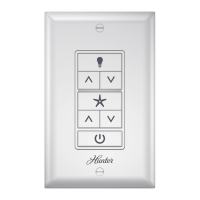
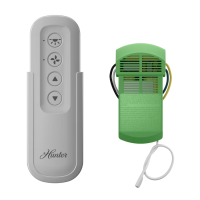
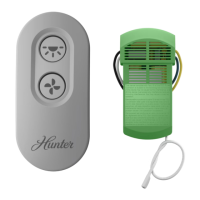
www.HunterFan.com.br
MD005-01 • 08/27/15 • © 2015 Hunter Fan Company
Models 99147, 99310
Ceiling Fan
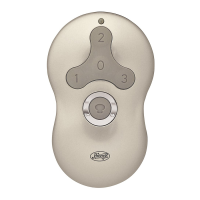
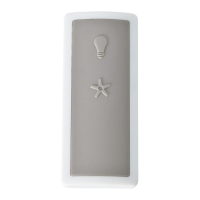
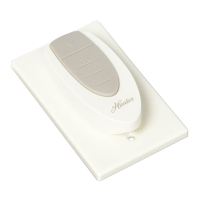
Remote Control
Installation
OR OR OR
Remove the canopy. If uncertain
how to remove it, reference the fan’s
owner’s manual. With wiring exposed,
it may be helpful to note existing wire
connections or take a digital photo for
reference. Remove the wire connectors
that connect the wires from the outlet
box to the fan, leaving the grounding
wires connected.
Before installing the
Universal Remote Control
Receiver, use the pull chains
to set the fan speed to HIGH
and the light to ON. Be
sure power is OFF before
proceeding with installation.
Choose the hanging system that most closely resembles the one used by your fan and install the receiver as shown and wire as directed.
Note: Some fans may have considerable excess lead wire. For easier canopy installation, cut the excess wire, leaving a minimum of 8” remaining. Re-strip the fan lead wires 1/2”. Place remaining excess
wire into the ceiling electrical box. The bracket and fan must remain properly grounded.
Turn Power
OFF
Wiring
CONNECT WIRES FROM RECEIVER TO FAN - Using the wire connectors, connect the black and white wire from the receiver
to the black and white wire from the fan. Connect the yellow wire from the receiver to the brown wire from the fan.
If you’re uncertain about wire colors or connections, please contact a qualied electrician.
CONNECT WIRES FROM RECEIVER AND FAN TO WIRES FROM OUTLET BOX - Using the wire connectors,
connect the brown (live in) wire from the ceiling to the brown wire from the receiver. Connect the blue (neutral)
wire from the ceiling to both the blue wire from the receiver and the blue wire from the fan.
If you’re uncertain about wire colors or connections, please contact a qualied electrician.
AFTER ALL WIRES ARE CONNECTED and secured with wire connectors, re-install the canopy.
Turn the splices upward and push them carefully back through the hanger bracket
into the outlet box. Spread the wires apart, with the grounded wires on one side of the
outlet box and the ungrounded wires on the other side of the outlet box.
To avoid possible electrical shock, before installing or servicing your fan, disconnect
the power by turning off the circuit breakers to the outlet box and associated wall switch
location. If you cannot lock the circuit breakers in the off position, securely fasten a
prominent warning device, such as a tag, to the service panel.
F
R
O
M
C
E
I
L
I
N
G
F
R
O
M
R
E
C
E
I
V
E
R
brown
black/white stripe
yellow
black/white stripe
F
R
O
M
F
A
N
F
R
O
M
R
E
C
E
I
V
E
R
brown
blue blue (neutral)
brown (live in)
blue
F
R
O
M
F
A
N
Ceiling
Bracket
Receiver
Fan Body
Cable Tie
For low prole fans, secure the receiver
to the ceiling bracket with a cable tie.
Important Instructions:
Keep Instructions for future use

 Need help?
 General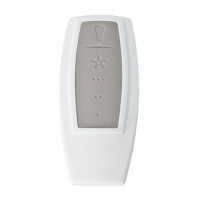

 To Next Page