nt
r
•
nderwater
ea
.
n
h
r
h
in
nsert t
e emer
enc
an
e
nto t
e c
utc
nut.
T
rn h
n
l
l
kwi
t
r
tri
v
n
h
r
To operate
rom the bow
witch the
ower on at the controls
emove the sa
et
hoo
Li
t the protective cap
rom the
oot switch and
depress the up or down switch
or th
r
r
t.
aintenance
ake sure that the power is off before performin
n
maintenance or work on the windlass
er
o
ca
c
ec
t
e motor an
contro
ox e
ectr
ca
onnections, remove an
residue and cover connections
with a small coatin
o
rease.
It is recommended that
ou, once a
ear, disassemble
the windlass and remove residue buildup. To per
orm
this maintenance follow all safet
procedures and com-
plete the
ollowin
s
n
t
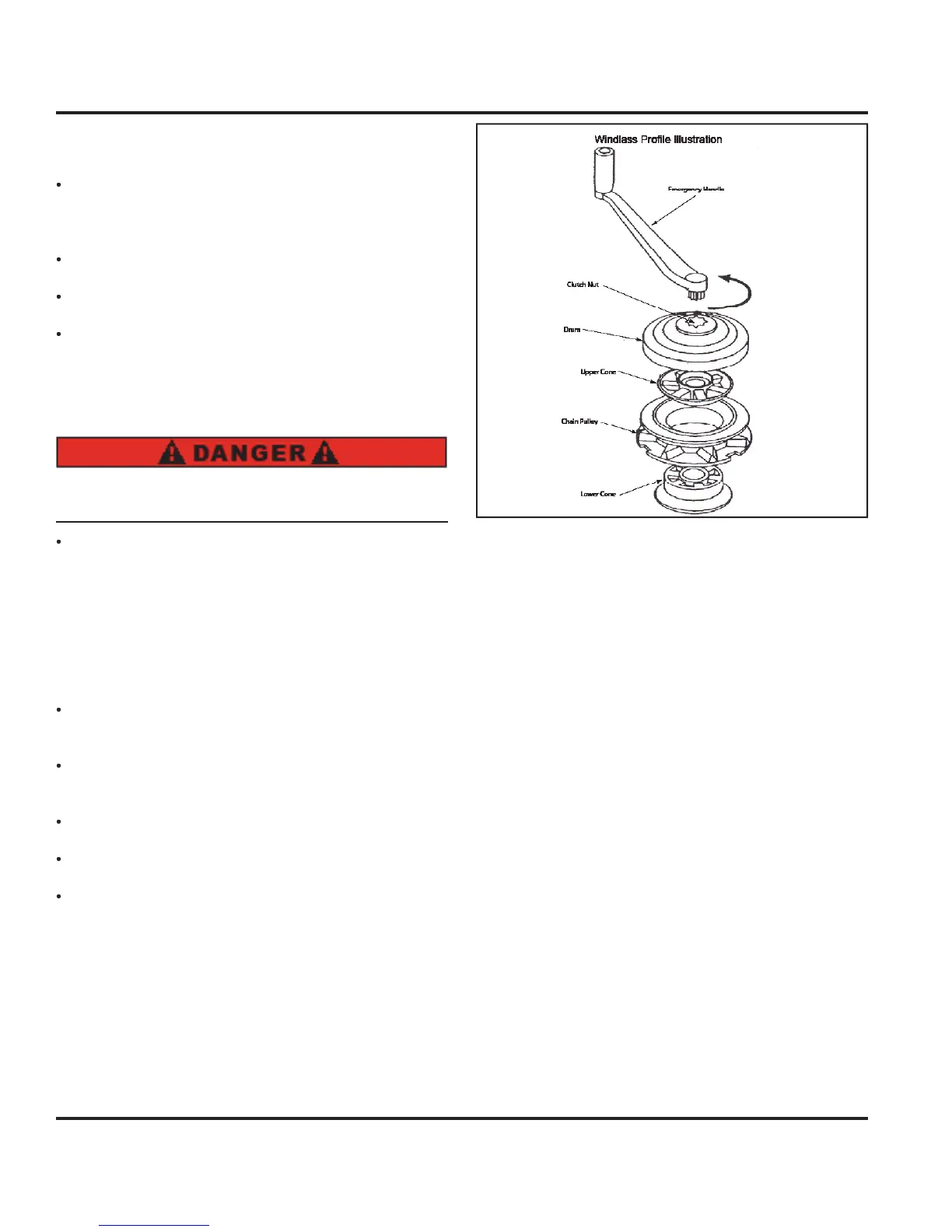
e emer
enc
an
e, unscrew t
e nut
turnin
the handle counterclockwise.
emove t
e
rum, upper cone, c
a
n w
ee
, an
l
w
r
n
as
own w
t
water to remove an
res
u
oat sur
aces with a li
ht
ilm o
lubrican
eassemble the unit and ti
hten the clutch b
turnin
th
h
n
l
l
kwi
.
Note: Refer to your Owner’s / Operator’s Manual in your
owner’s kit for detailed information about your windlass.
6.4.2 Anchor
Your Hunter is equipped with a Dan
orth t
pe anchor
well and drain and a Danforth t
pe anchor as standard
quipment. The anchor is selected to suit the size and
wei
ht of
our boat under normal anchorin
condi-
tions, and is most effective in mudd
or sand
bottoms.
heck out the Gettin
underwa
Chapter in this manual,
hapter 12 for more information about anchorin
our boat.
Fi
. 6.8 will show
ou the details o
the windlass and
anc
or
n
s
stem
n
ustrate
eta
, s
ow
n
t
e p
an
vi
w.
Fi
. 6.7



 To Next Page