Offline Mode - Sensors
Please follow the steps below to add and configure your sensor or flow meter in Offline
Mode. Please use the following link for Installation Instructions [29].
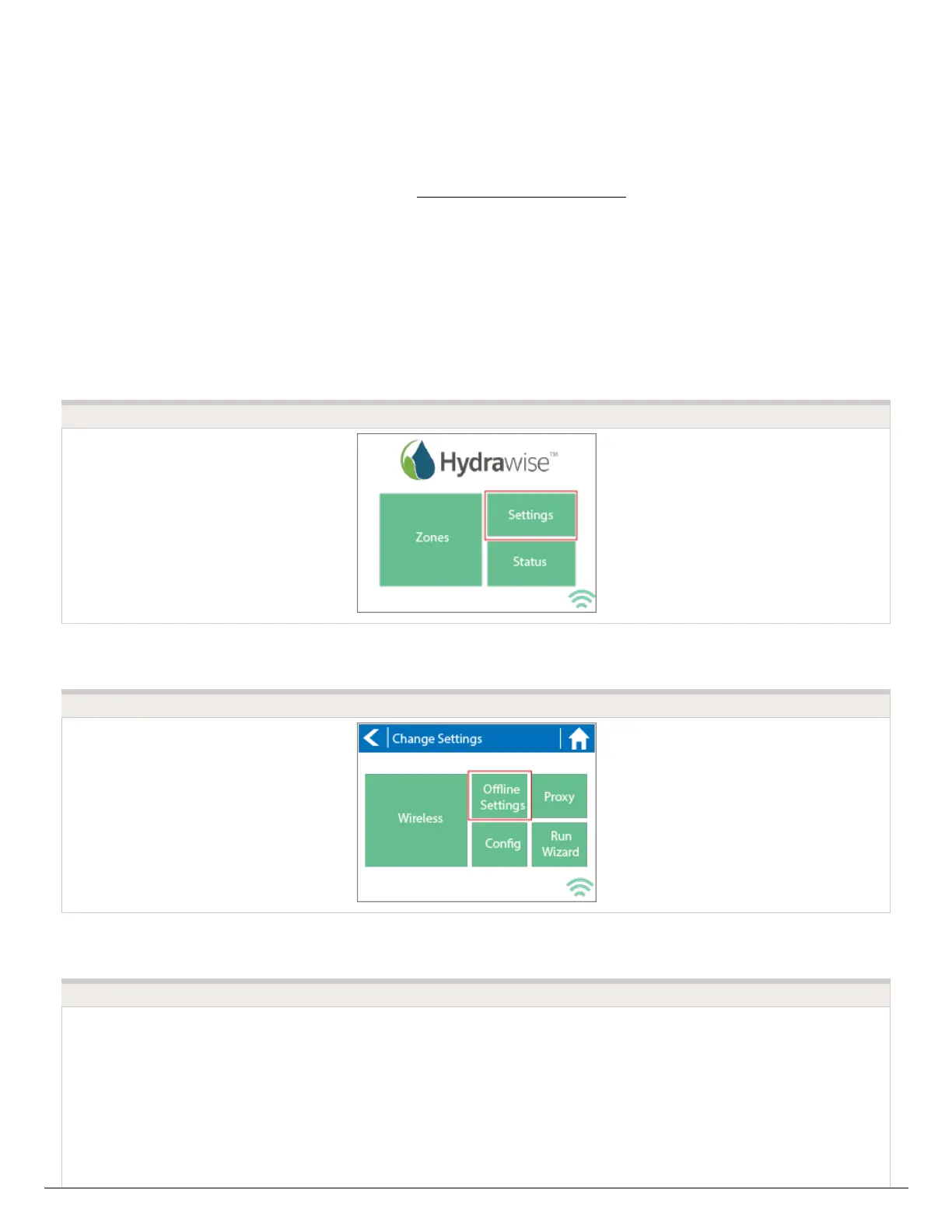
1. From the main menu, select Settings.
2. Next, select Offline Settings.
3. Select Sensors.
4. From this screen, you can now navigate between Sensor 1 and Sensor 2 by using the
Next and Previous options. Just as you configure your sensors online, you can select
the different options to make changes accordingly.
STEP 1
STEP 2
STEP 3




 To Next Page