EasyManua.ls Logo

Hunter Professional PGP Ultra Series - User Manual

Hunter Professional PGP Ultra Series
2 pages
Print Icon
To Next Page IconTo Next Page
Loading...
be removed by backing out the adjustment screw and
turning on the water, or by pulling outward on the nozzle
"ears" with a pair of needle-nosed pliers.
3. Slip the desired nozzle into the nozzle socket (Fig. 7).
Note that the socket is angled up 25˚. The "ears" should
be adjusted so that the nozzle range screw threads
directly down between them. Then tighten the nozzle
range screw. The raised bump with an arrow on the
rubber cover will always indicate the location of the
nozzle and direction of water flow when the sprinkler is
retracted.
ALIGNING THE RIGHT (FIXED) SIDE OF ARC
If the right side of the arc is not properly aligned, the
results may be a wet walkway or a dry turf area. The right
side arc can easily be realigned. One way to realign the
right stop is to turn the whole sprinkler body assembly
and the fitting below it, left or right to the desired position.
This may require temporary removal of the soil around
the sprinkler to allow you to grip the sprinkler housing.
Another way to reset the right arc is to unscrew the body
cap counterclockwise and remove the internal assembly
from the body. Once removed, rotate the nozzle turret
to the right stop, screw the internal assembly back into
the body with the nozzle aligned to the right side of the
area you want irrigated (Fig. 9). At this point you have
realigned the right arc stop, and you can adjust the left
arc to an appropriate setting.
Note: It is not necessary to dig up and remove the whole
sprinkler to realign the right arc.
PGP ULTRA INSTALLATION:
The PGP Ultra pop-up sprinkler should
be installed at finished grade as shown in
the illustration (Fig. 1).
Arc Adjustments:
Adjustable heads are preset to
approximately 180˚. Sprinklers may
be adjusted with water on or off. It is
recommended that initial adjustments be
made before installation.
1. Using the palm of your hand, rotate the
nozzle turret counterclockwise to the left
stop to complete any interrupted rotation
cycle (Fig. 2).
2. Rotate the nozzle turret clockwise to the
right stop. This is the fixed side of the arc.
The nozzle turret must be held in this
position for arc adjustments. The right
stop does not change.
To Increase the Arc:
1. Insert the plastic key end of the Hunter
wrench into the adjustment socket
(Fig. 3 & 4).
2. While holding the nozzle turret at the right stop,
turn the wrench clockwise. Each full 360˚ turn
of the wrench will increase the arc 90˚.
3. Adjust to any arc between 50˚ and 360˚ (Fig. 5).
4. The wrench will stop turning, or there will be a
ratcheting noise, when the maximum arc of 360˚
(full circle) has been reached.
5. When set to 360, the sprinkler will rotate
continually counterclockwise.
To Decrease the Arc:
1. Insert the plastic key end of the Hunter wrench into
the adjustment socket (Fig. 3 & 4).
2. While holding the nozzle turret at the right stop, turn
the wrench counterclockwise. Each full 360˚ turn of
the wrench will decrease the arc 90˚.
3. Adjust to any arc between 50˚ and 360˚ (Fig. 5).
4. The wrench will stop turning, or there will be a
ratcheting noise, when the minimum arc of 50˚ has
been reached.
RADIUS / DISTANCE OF THROW
Insert the steel hex end of the Hunter wrench into the
radius adjustment screw (Fig. 6). Turn the screw
clockwise (into the stream of water) to decrease the
radius, or counterclockwise to increase the radius.
Radius can be reduced up to 25%.
PRECIPITATION RATE ADJUSTMENT
If you have excessively wet or dry areas, you can
change the nozzle in the sprinkler to increase or
decrease the precipitation rate. For dry areas, install a
larger nozzle. For wet areas, install a smaller nozzle.
DRAIN CHECK VALVE
All Hunter sprinklers are available with a factory-
installed drain check valve. The drain check valve
prevents low-head drainage with elevation changes
up to 10'. To order, specify PGP-00-CV or PGP-04-CV.
All PGP-12 sprinklers come standard with a drain
check valve. If a check valve is added to the standard
PGP-04 in the field, the elevation check height will be
approximately 4'.
RECLAIMED ID
All Hunter rotors are available with a purple rubber
cover permanently attached. The purple cover shows
that reclaimed water is being used for the project, which
promotes safety on the job site.
NOZZLE INSTALLATION
1. Insert the plastic key end of the Hunter wrench into the
lifting socket of the sprinkler and turn 90˚. Pull the riser up
to gain access to the nozzle socket (Fig. 8).
2. Using the hex key of the Hunter wrench, turn the radius
adjustment screw (Fig. 6)
counterclockwise to be sure it is not blocking the nozzle
socket opening. If a nozzle is already installed, it can
Gear-Driven Sprinklers
PGP
®
Ultra Series
Professional Series™
Fig. 4
Decrease Arc
Increase Arc
Plastic Key End
Steel Hex End
Note: It is not necessary to disassemble the sprinkler to make adjustments.
Fig. 7
Nozzle Removal
Post
Fig. 7
Fig. 9
Fig. 4
Minimum
Arc
Maximum
Arc
50°
360°
Fig. 5
Fig. 5
Fig. 6
Fig. 6
Fig. 3
Model
Nozzle
No.
Pressure
in PSI
Degrees of
Trajectory
Max Height
of Spray
Distance from head
to Max Height
PGP Ultra 1.5 45 25 8' 23'
Blue 2.0 45 25 8' 23'
2.5 45 25 9' 26'
3.0 45 25 10' 28'
4.0 45 25 11' 30'
5.0 45 25 11' 30'
6.0 55 25 12' 32'
8.0 55 25 13' 32'
PGP Ultra
Low Angle
2.0LA 50 13 5' 22'
2.5LA 50 13 4' 22'
3.5LA 50 13 4' 22'
4.5LA 50 13 4' 22'
PGP Ultra
Short Radius
.50 50 15 5' 8'
1.0 50 14 6' 9'
2.0 50 3 1' 6'
PGP Ultra
Short Radius
.75 50 22 7' 13'
1.5 50 18 7' 13'
3.0 50 8 1' 6'
NON-REVERSING 360
This PGP Ultra sprinkler is designed as a part- and
full-circle in one model. When the sprinkler is adjusted
to the full-circle position, the sprinkler will rotate in a
continuous counterclockwise direction. This saves
everyone from stocking additional full-circle only models
while efficiently irrigating the landscapes.
NON-STRIPPABLE BACKDRIVE
This PGP Ultra sprinkler is designed with an internal
device that prevents damage to the internal gear drive
if it should be turned by vandals. This important feature
works when the nozzle turret is turning in either direction.
This makes the sprinkler very durable in all applications.
AUTO ARC RETURN
This PGP Ultra sprinkler is designed with an internal
device that re-aligns the arc if it is turned by vandals.
This important feature works when the nozzle turret is
turning in either direction.
When forced outside of the originally set arc, the
sprinkler takes the
shortest path back to
the pattern without
going completely
around. This saves
the non-irrigated areas
from getting wet! Always
a good thing!
a
u
t
o
-
r
e
t
u
r
n
i
f
f
o
r
c
e
d
d
e
s
i
r
e
d
s
e
t
a
r
c
Hunter Industries Incorporated • The Irrigation Innovators
© 2011 Hunter Industries Incorporated
www.hunterindustries.com P/N 700054 LIT-469 2/11
Fig. 1
Fig. 1
Fig. 2
Fig. 2
Fig. 8

Other manuals for Hunter Professional PGP Ultra Series

Question and Answer IconNeed help?

Do you have a question about the Hunter Professional PGP Ultra Series and is the answer not in the manual?

Summary

PGP Ultra Installation and Adjustments

Arc Adjustments

Adjustable heads are preset to approximately 180°. Sprinklers may be adjusted with water on or off.

Increasing the Arc

Turn the wrench clockwise while holding the nozzle turret at the right stop.

Decreasing the Arc

Turn the wrench counterclockwise while holding the nozzle turret at the right stop.

Radius; Distance of Throw Adjustment

Turn the radius adjustment screw clockwise to decrease radius or counterclockwise to increase.

Precipitation Rate Adjustment

Change the nozzle to increase or decrease precipitation rate for wet or dry areas.

Drain Check Valve

Factory-installed valve prevents low-head drainage with elevation changes up to 10'.

Reclaimed Water Identification

Purple rubber cover indicates reclaimed water is being used for the project.

Nozzle Installation

Insert the plastic key end of the Hunter wrench into the lifting socket and turn 90°.

Aligning the Right Side of Arc

Realign the right arc stop by rotating the sprinkler body or internal assembly.

PGP Ultra Series Features

Non-Reversing 360

Designed as a part- and full-circle in one model, rotating continuously counterclockwise.

Non-Strippable Backdrive

Internal device prevents damage to gear drive if turned by vandals in either direction.

Auto Arc Return

Internal device re-aligns arc if turned by vandals, taking the shortest path back.

Overview

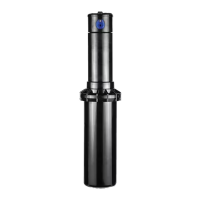
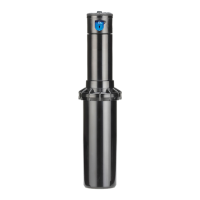
The Hunter PGP Ultra Series Gear-Driven Sprinkler is a versatile and durable irrigation device designed for efficient landscape watering. It features a pop-up sprinkler mechanism that should be installed at finished grade for optimal performance.

Function Description:

The PGP Ultra is a gear-driven sprinkler that delivers water in a controlled pattern. It is capable of both part-circle and full-circle operation, making it adaptable to various landscape shapes and sizes. The sprinkler's internal mechanism ensures smooth rotation and consistent water distribution. When set to full-circle, it rotates continuously counterclockwise, eliminating the need for separate full-circle-only models. This design promotes efficient landscape irrigation and simplifies inventory management.

Usage Features:

Arc Adjustments:

The sprinkler heads are factory preset to approximately 180 degrees, but the arc can be easily adjusted with water on or off, though initial adjustments are recommended before installation. To adjust the arc, first rotate the nozzle turret counterclockwise to its left stop to complete any interrupted rotation cycle. Then, rotate the nozzle turret clockwise to the right stop; this is the fixed side of the arc and must be held in this position for arc adjustments. The right stop remains constant.

To increase the arc, insert the plastic key end of the Hunter wrench into the adjustment socket. While holding the nozzle turret at the right stop, turn the wrench clockwise. Each full 360-degree turn of the wrench increases the arc by 90 degrees. The arc can be adjusted anywhere between 50 and 360 degrees. The wrench will stop turning, or a ratcheting noise will be heard, when the maximum arc of 360 degrees (full circle) has been reached. When set to 360 degrees, the sprinkler will rotate continuously counterclockwise.

To decrease the arc, insert the plastic key end of the Hunter wrench into the adjustment socket. While holding the nozzle turret at the right stop, turn the wrench counterclockwise. Each full 360-degree turn of the wrench decreases the arc by 90 degrees. The arc can be adjusted anywhere between 50 and 360 degrees. The wrench will stop turning, or a ratcheting noise will be heard, when the minimum arc of 50 degrees has been reached. It is important to note that it is not necessary to disassemble the sprinkler to make these adjustments.

Aligning the Right (Fixed) Side of Arc:

Proper alignment of the right side of the arc is crucial to avoid wet walkways or dry turf areas. The right side arc can be realigned in a couple of ways. One method is to turn the entire sprinkler body assembly and its underlying fitting, either left or right, to the desired position. This might require temporarily removing soil around the sprinkler to grip the housing.

Another method involves unscrewing the body cap counterclockwise and removing the internal assembly. Once removed, rotate the nozzle turret to the right stop. Then, screw the internal assembly back into the body, aligning the nozzle with the right side of the area to be irrigated. This process realigns the right arc stop, allowing for subsequent adjustment of the left arc. It is not necessary to dig up and remove the entire sprinkler to realign the right arc.

Radius / Distance of Throw:

To adjust the radius or distance of throw, insert the steel hex end of the Hunter wrench into the radius adjustment screw. Turning the screw clockwise (into the stream of water) will decrease the radius, while turning it counterclockwise will increase the radius. The radius can be reduced by up to 25%.

Precipitation Rate Adjustment:

If areas are excessively wet or dry, the precipitation rate can be adjusted by changing the nozzle. For dry areas, install a larger nozzle; for wet areas, install a smaller nozzle.

Nozzle Installation:

To install a nozzle, first insert the plastic key end of the Hunter wrench into the lifting socket of the sprinkler and turn it 90 degrees. Pull the riser up to access the nozzle socket. Using the hex key of the Hunter wrench, turn the radius adjustment screw counterclockwise to ensure it is not blocking the nozzle socket opening. If a nozzle is already installed, it can be removed by backing out the adjustment screw and turning on the water, or by pulling outward on the nozzle "ears" with a pair of needle-nosed pliers. Slip the desired nozzle into the nozzle socket, noting that the socket is angled up 25 degrees. The "ears" should be adjusted so that the nozzle range screw threads directly down between them. Then, tighten the nozzle range screw. A raised bump with an arrow on the rubber cover always indicates the location of the nozzle and the direction of water flow when the sprinkler is retracted.

Non-Reversing 360:

This PGP Ultra sprinkler is designed to function as both a part- and full-circle model. When adjusted to the full-circle position, the sprinkler rotates continuously counterclockwise. This feature eliminates the need to stock separate full-circle-only models, promoting efficient landscape irrigation.

Non-Strippable Backdrive:

The PGP Ultra sprinkler includes an internal device that prevents damage to the internal gear drive if it is turned by vandals. This important feature works regardless of the nozzle turret's turning direction, making the sprinkler highly durable in all applications.

Auto Arc Return:

This PGP Ultra sprinkler is equipped with an internal device that automatically realigns the arc if it is turned by vandals. This feature works when the nozzle turret is turned in either direction. When forced outside of the originally set arc, the sprinkler takes the shortest path back to the pattern without completing a full rotation. This prevents non-irrigated areas from getting wet.

Maintenance Features:

Drain Check Valve:

All Hunter sprinklers are available with a factory-installed drain check valve. This valve prevents low-head drainage in areas with elevation changes up to 10 feet. To order, specify PGP-00-CV or PGP-04-CV. All PGP-12 sprinklers come standard with a drain check valve. If a check valve is added to a standard PGP-04 in the field, the elevation check height will be approximately 4 feet.

Reclaimed ID:

All Hunter rotors are available with a purple rubber cover permanently attached. This purple cover indicates that reclaimed water is being used for the project, promoting safety on the job site by clearly identifying the water source.

Hunter Professional PGP Ultra Series Specifications

General IconGeneral
Warranty5 years
ModelPGP Ultra
Adjustable Arc360 degrees
Precipitation RateApproximately 10 mm/hr
Nozzle Trajectory25°
Riser Height10 cm
Body MaterialPlastic

Related product manuals