7
Installation Guide
3.3.2 Trigger Output Connection
1. Connect the 25 way D-type to the rear of the monitor.
2. Connect the other end of the cable to the Aquillion scanner.
3. Ensure that both ends have been secured with the interlock screws provided.
3.4 Gantry Mounting
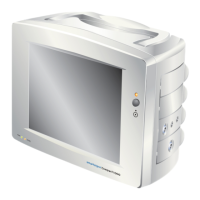
The monitor can be gantry mounted using the fi xing points provided on the underside.
4 x 4.5mm dia fi xing holes of 62.40mm x 68.00mm pitch must be provided on the
gantry, as detailed in fi gure 4.
Figure 4
62.40
68.00
48.5
FRONT
62.40
68.00
48.5
1. Fit Gantry Spacers (ACC-VSM-231) between the monitor and the gantry.
2. Tighten screws, (4 x M4x0.5 pitch), to 70cN, 0.6lb/ft, 0.07Kg-m.
The length of the screws will need to be determined by the installer
(maximum thread depth into the monitor unit is 8mm).
4 x Fixing Points



 To Next Page
 Loading...