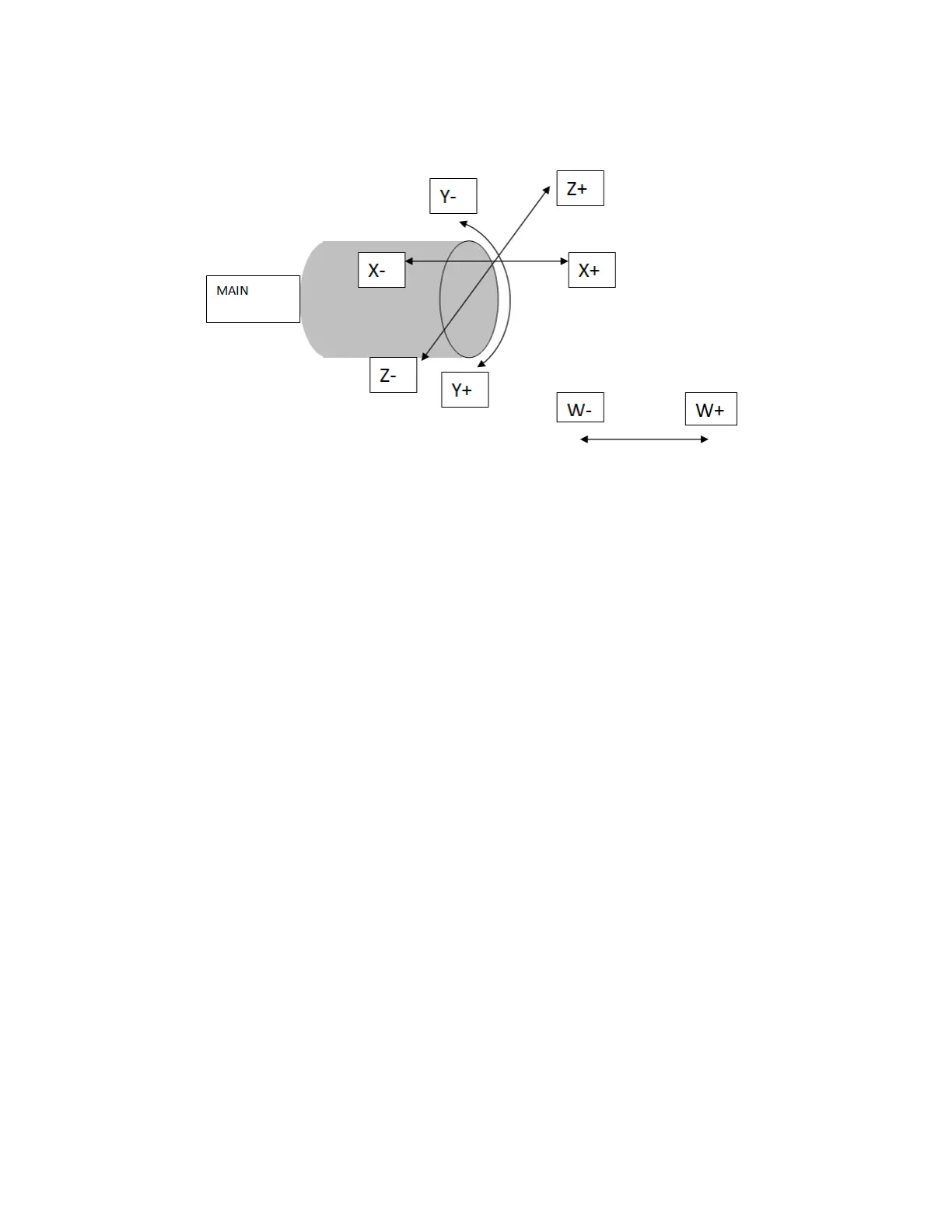
G102 AXIS MAP DIAGRAM
This map will swap the X and Z axis. Notice the Y axis is
wrapped around the diameter of the bar to be programmed,
and that Z0 is on the diameter of the bar.
This map will need to be used in conjunction with an
additional code to establish a working diameter.
G25 Q (whatever the working diameter is)
This map is suitable for all milling and drilling on the outside of
the part, however drilling can be done on the diameter of the
part using C positions if desired in the G109 map.
No C axis positions are allowed in this map!



 To Next Page